
When people talk about YouTube videos, they usually talk about the content.
The script.
The editing.
The camera.
The storytelling.
But there is another part of the story that starts before the video even plays.
The thumbnail.
A viewer can spend less than a second looking at your thumbnail before deciding whether to keep scrolling.
That means your thumbnail isn’t simply packaging.
It’s the first sentence of your video’s story.
A Thumbnail Has to Communicate Without Sound
Think about watching YouTube with the sound turned off.
You can still understand what many videos are about just by looking at their thumbnails.
That’s because strong thumbnails communicate visually.
They use things like:
Facial expressions
Contrast
Objects
Numbers
Short phrases
Visual symbols
Before-and-after comparisons
Unexpected combinations
A good thumbnail doesn’t explain the entire video.
It creates enough context for the viewer to understand:
“This video is probably about something I care about.”
The Thumbnail Should Create a Question
One of the most powerful elements of visual storytelling is curiosity.
A thumbnail can create a question in the viewer’s mind.
For example:
“How did they do that?”
“What happened?”
“Why is this different?”
“Can I achieve the same result?”
The viewer doesn’t need the answer immediately.
They just need enough curiosity to want to discover it.
That’s why a thumbnail that simply describes the video isn’t always the most interesting option.
Sometimes the best thumbnail shows the result and leaves the explanation to the title and video.
Think About the Thumbnail and Title as a Pair
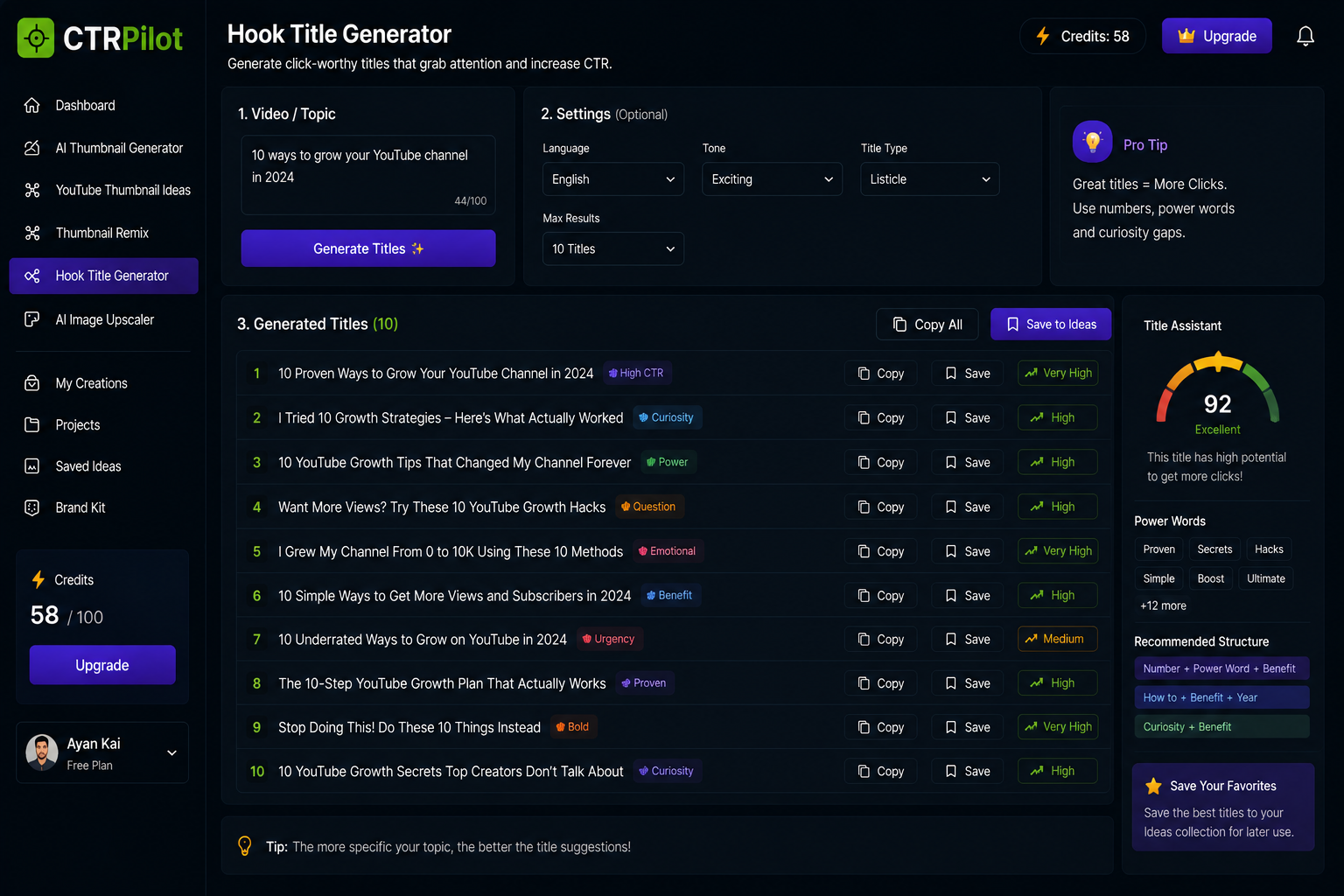
Create title variations that add context to your thumbnail instead of repeating it.
Your thumbnail doesn’t work alone.
It works together with your title.
Imagine a video about growing a YouTube channel.
A weak combination might be:
Thumbnail:
“10 YouTube Growth Tips”
Title:
“10 YouTube Growth Tips”
There isn’t much left to discover.
Now imagine:
Thumbnail:
“0 → 10K”
Title:
“10 Strategies I Used to Grow My YouTube Channel”
The thumbnail gives the viewer a visual result.
The title provides the explanation.
Together, they create a stronger story.
Don’t Put Everything on the Thumbnail
Another common mistake is trying to explain the entire video through the thumbnail.
Creators sometimes add:
Long sentences
Multiple statistics
Several images
Too many icons
Too many colors
Multiple messages
The result can become difficult to understand.
A thumbnail has limited space.
The viewer has limited attention.
So instead of asking:
“How much information can I fit?”
Ask:
“What is the one thing I want the viewer to notice first?”
That question can completely change the design.
Visual Hierarchy Matters
Good thumbnails usually have a clear hierarchy.
The viewer should naturally notice one element first.
Then another.
Then another.
For example:
1. Main subject
A person or object.
2. Main message
A few large words.
3. Supporting visual
An arrow, graph, icon, or background element.
This makes the thumbnail easier to process quickly.
You don’t need to make everything equally important.
You need to make the right thing important.
Different Videos Need Different Visual Stories
Not every video should use the same thumbnail formula.
A tutorial might benefit from a clear visual explanation.
A story might benefit from emotion.
A review might highlight the product.
A challenge might focus on the result.
A business video might use numbers or growth.
The thumbnail should reflect the promise of the video.
That’s why copying a successful thumbnail style doesn’t necessarily produce the same result.
The context matters.
AI Can Help Explore the Story
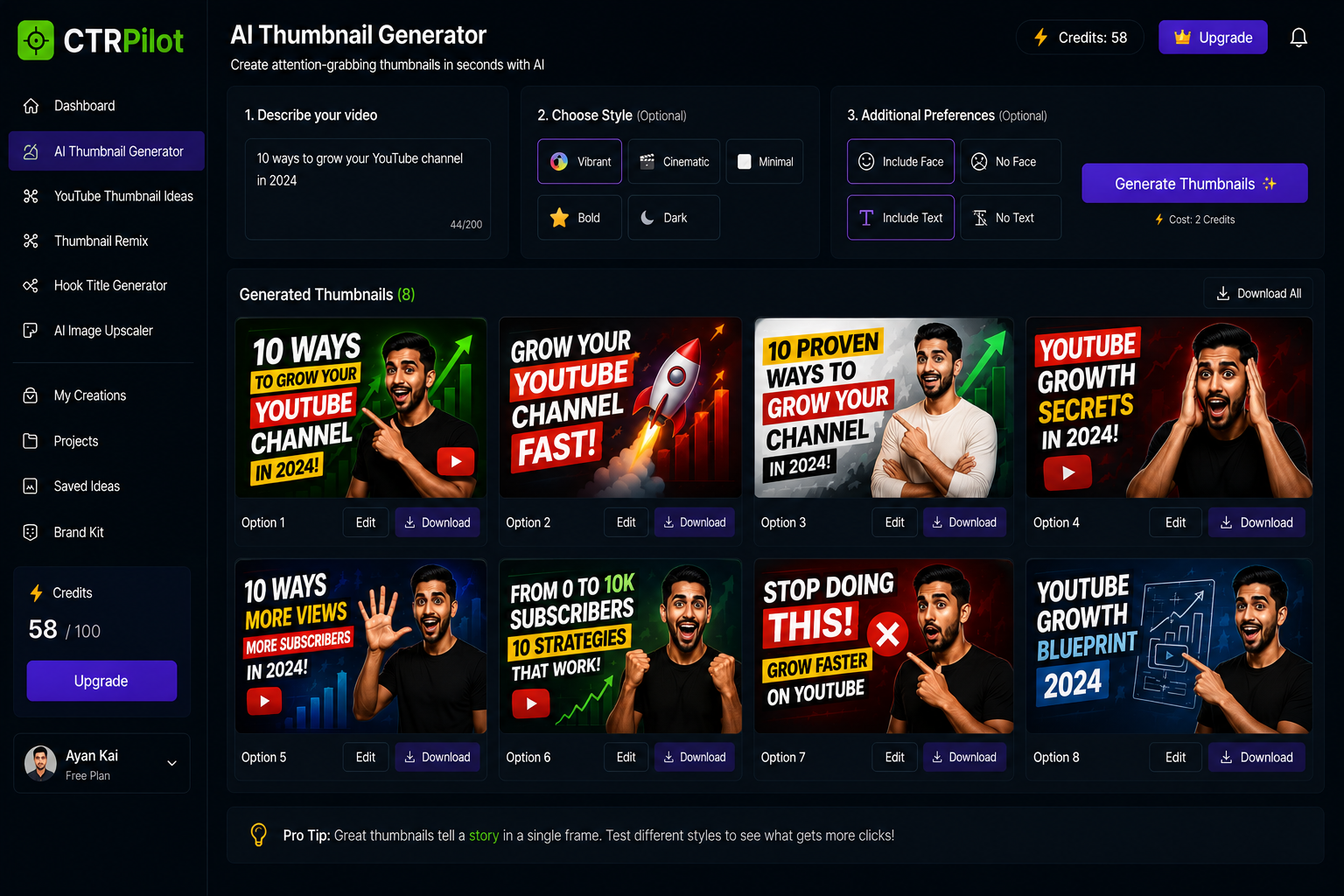
Turn a video idea into a visual story with AI-powered thumbnail concepts.
This is one area where I think AI can be particularly useful.
Instead of asking AI:
“Make me a thumbnail.”
You can give it the context of the video and explore different visual directions.
For example, a video about productivity could be represented as:
Transformation
Before → After
Problem
Overwhelmed creator with dozens of tasks
Solution
A clean workflow replacing the chaos
Result
More time and better output
These aren’t just different designs.
They’re different ways of telling the same story visually.
This Is What I’m Building With CTRPilot
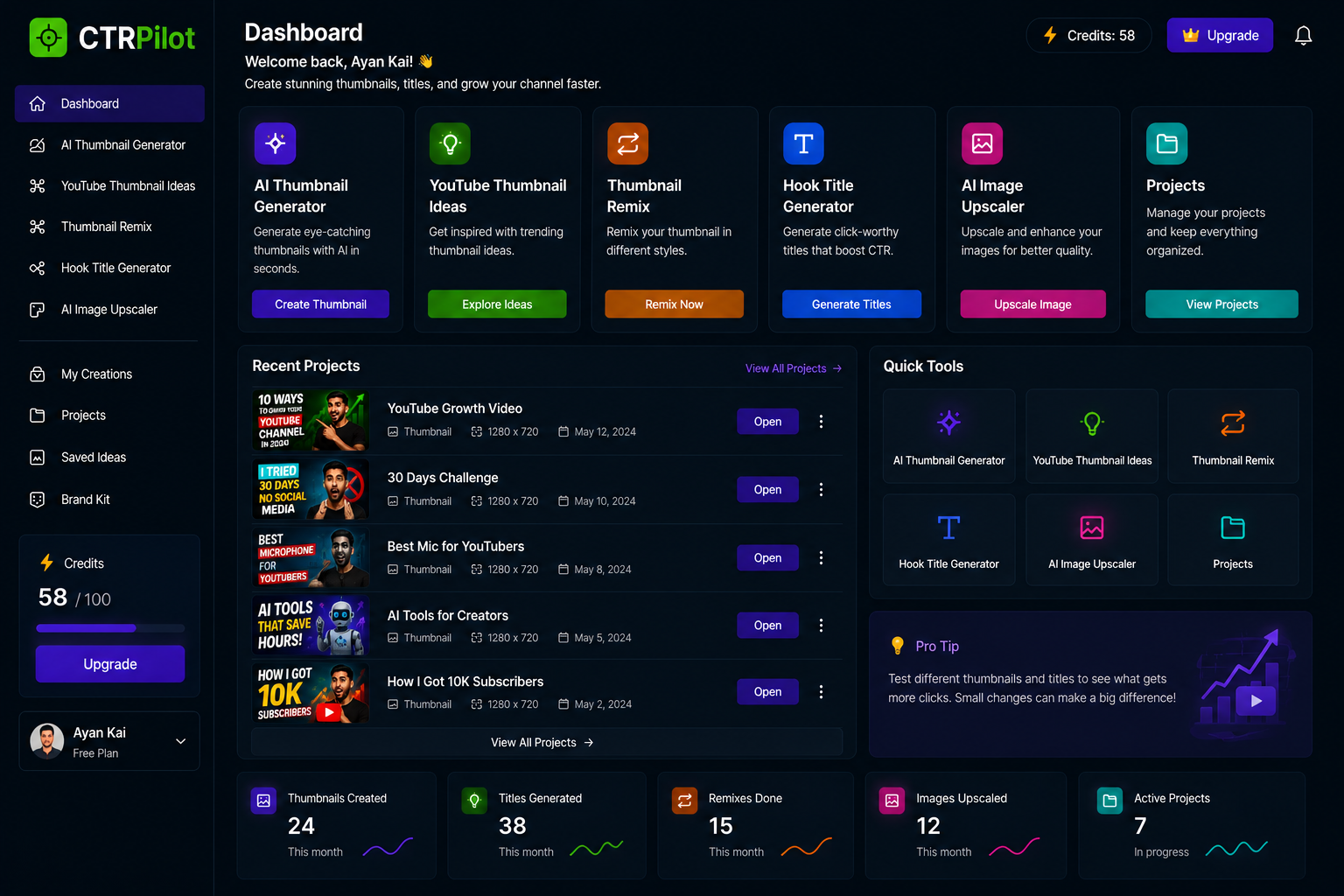
Bring thumbnail creation, remixing, title generation, and image enhancement into one workflow.
This thinking is also influencing how I’m building CTRPilot.
The goal isn’t just to create attractive images.
It’s to help creators explore different ways of packaging their ideas.
CTRPilot includes tools for:
AI Thumbnail Generation
YouTube Thumbnail Ideas
Thumbnail Remixing
Hook Title Generation
AI Image Upscaling
Creator project management
The idea is simple:
Start with the content. Then explore how to communicate it visually.
Remixing Can Change the Story
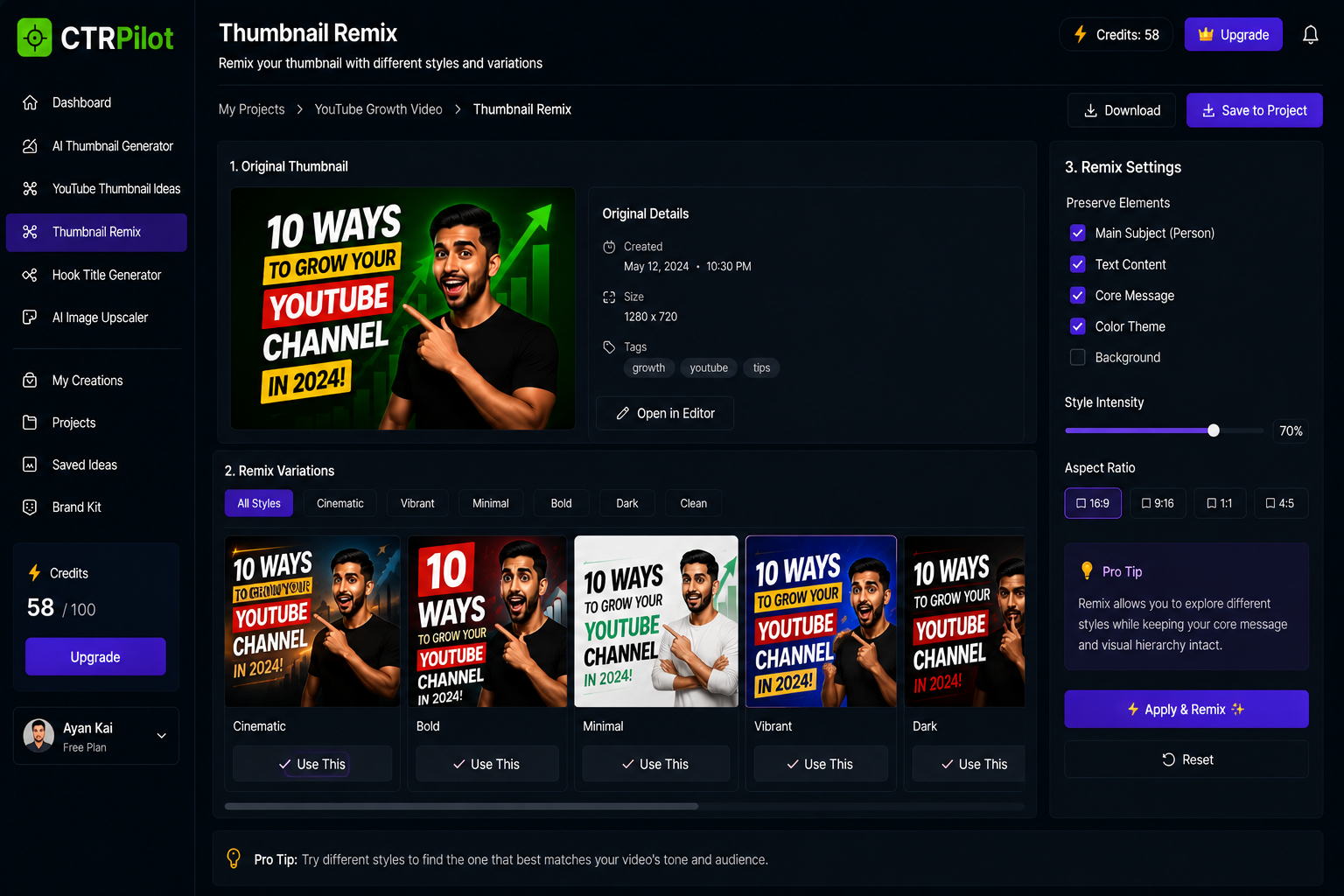
Explore different visual styles while keeping the original story and message intact.
Sometimes the original thumbnail is good, but the visual story isn’t quite right.
Maybe it’s too serious.
Maybe it’s too busy.
Maybe the main subject isn’t clear.
Maybe it doesn’t match the video’s tone.
Remixing allows you to explore another interpretation without starting from zero.
The same content can become:
Minimal
Cinematic
Bold
Vibrant
Clean
The message stays connected to the original idea, while the presentation changes.
The Best Thumbnail Isn’t Always the Most Beautiful
This is an important distinction.
A beautiful thumbnail can still be confusing.
A simple thumbnail can still be incredibly effective.
What matters is whether the design communicates the video’s promise quickly.
Ask yourself:
Can someone understand the topic immediately?
Is there one clear focal point?
Does the design create curiosity?
Does the thumbnail work with the title?
Would it stand out among other videos?
These questions are often more useful than simply asking whether the thumbnail looks good.
AI Doesn’t Replace the Creator’s Story
I don’t think AI should decide what your video is about.
Or what your audience should feel.
That’s the creator’s job.
AI can help explore visual possibilities.
The creator chooses the story.
That’s the relationship I find most interesting:
Human idea + AI exploration + Human judgment
The technology handles some of the repetitive execution.
The creator remains responsible for the creative direction.
A Simple Framework for Better Thumbnails
Before publishing your next video, try asking five questions:
1. What’s the video’s main promise?
What will the viewer get?
2. What’s the strongest visual representation?
Can the promise be shown rather than explained?
3. What’s the curiosity gap?
What question can the thumbnail create?
4. What should the viewer notice first?
Choose one dominant visual element.
5. Does the title add information?
Don’t make the title and thumbnail say exactly the same thing.
This simple framework can help turn a thumbnail from an afterthought into part of the content strategy.
Final Thoughts
A YouTube video doesn’t start when someone presses Play.
In many cases, the experience starts with the thumbnail.
It’s the first visual introduction to your idea.
That’s why I believe creators should think about thumbnails as storytelling tools, not just graphic designs.
AI can make the process of exploring those visual stories faster.
But the most important part still comes from the creator:
The idea. The message. The story.
That’s what I’m trying to support with CTRPilot.
Create the story. Explore the visual. Make the decision.
👉 Try CTRPilot: CTRPilot