
A YouTube channel can have great videos and still look forgettable.
One video has a dark thumbnail.
The next has bright colors.
Another uses huge text.
Another has almost no text.
Different styles aren’t necessarily bad.
But when every thumbnail looks completely different, viewers may have a harder time recognizing your content.
That’s where visual consistency becomes important.
Your Thumbnail Is Part of Your Channel Identity
Think about your favorite YouTube channels.
You can often recognize their videos before reading the channel name.
Maybe they use:
Similar typography
Consistent colors
Recurring layouts
Familiar facial expressions
Similar visual hierarchy
A recognizable editing style
These elements gradually become part of the channel’s identity.
A thumbnail isn’t only promoting one video.

A consistent visual style helps viewers recognize your content before they even read the channel name.
It’s also representing the channel behind it.
Consistency Doesn’t Mean Making Every Thumbnail Identical
This is an important distinction.
A consistent channel doesn’t need five thumbnails that look exactly the same.
Instead, think of consistency as a visual system.
For example, you might consistently use:
Typography: Bold, readable headlines
Color: A small set of brand colors
Composition: Subject on one side, text on the other
Visual style: High contrast and clean backgrounds
Within those rules, every thumbnail can still be different.
Why Recognition Matters
YouTube is crowded.
Viewers scroll through hundreds of visual elements every day.
When someone repeatedly sees a similar visual style from your channel, they may begin to recognize it subconsciously.
That recognition can become valuable over time.
Your thumbnail starts communicating:
“This is another video from that creator.”
before the viewer even reads the title.
The Problem With Starting From Scratch Every Time
Creating every thumbnail from a completely blank canvas can create another problem.
You have to make the same decisions repeatedly:
Which font?
Which colors?
Where should the subject go?
How large should the text be?
Should the background be simple or detailed?
Which visual style should I use?
Doing this for every video takes time.
It can also lead to inconsistent results.
A Better Approach: Build a Thumbnail System
Instead of designing each thumbnail independently, create a few reusable creative patterns.
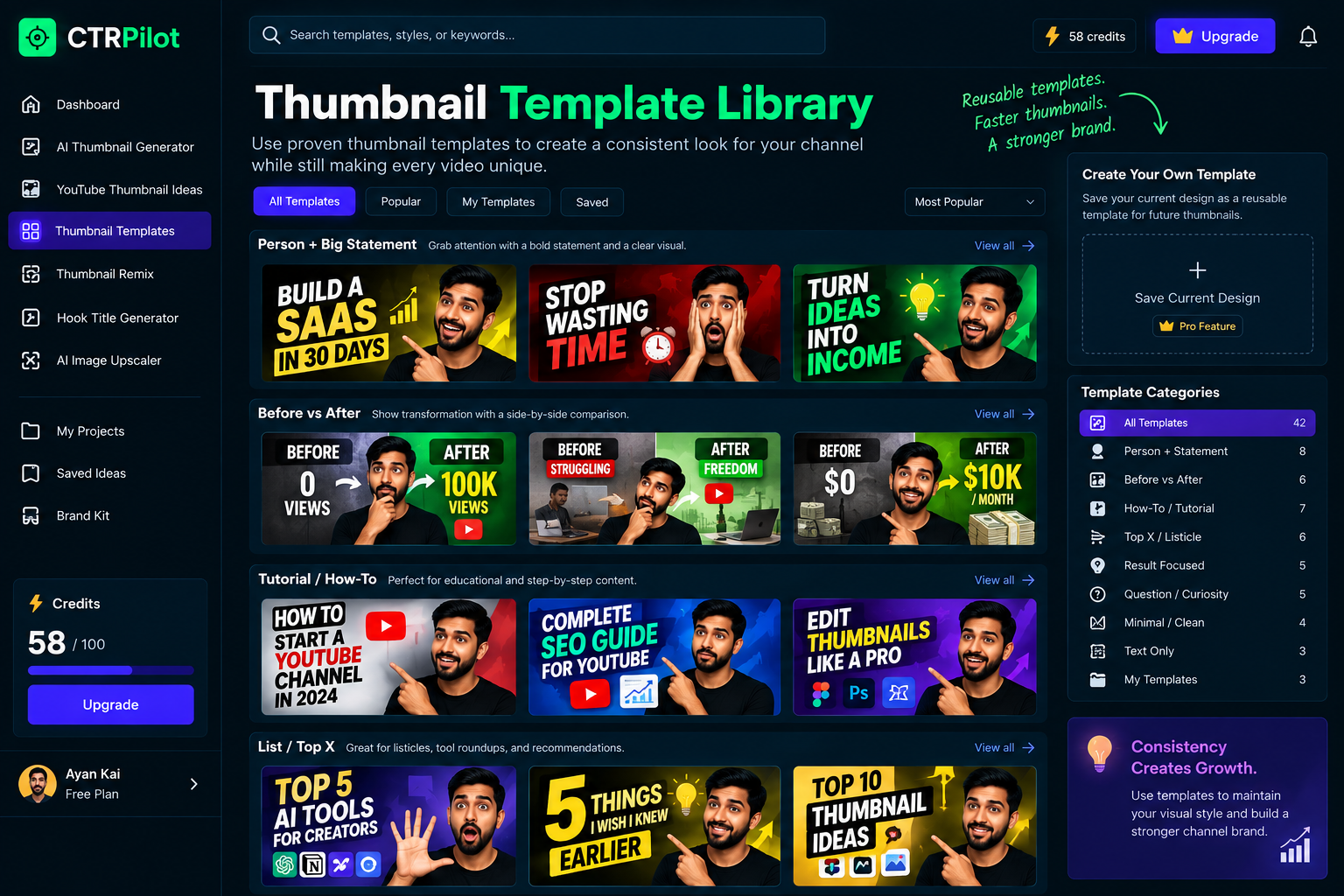
Reusable thumbnail patterns create consistency while still leaving room for each video’s unique story.
For example:
Pattern 1 — Person + Big Statement
A large subject combined with a short headline.
Pattern 2 — Before vs. After
Two contrasting visuals showing a transformation.
Pattern 3 — Result-Focused
The main outcome becomes the visual focus.
Pattern 4 — Curiosity
A visual setup that creates a question in the viewer’s mind.
These patterns give you a starting point without restricting creativity.
AI Can Make Consistency Easier
AI thumbnail tools can be useful here — not because they should replace the creator, but because they can accelerate the exploration process.
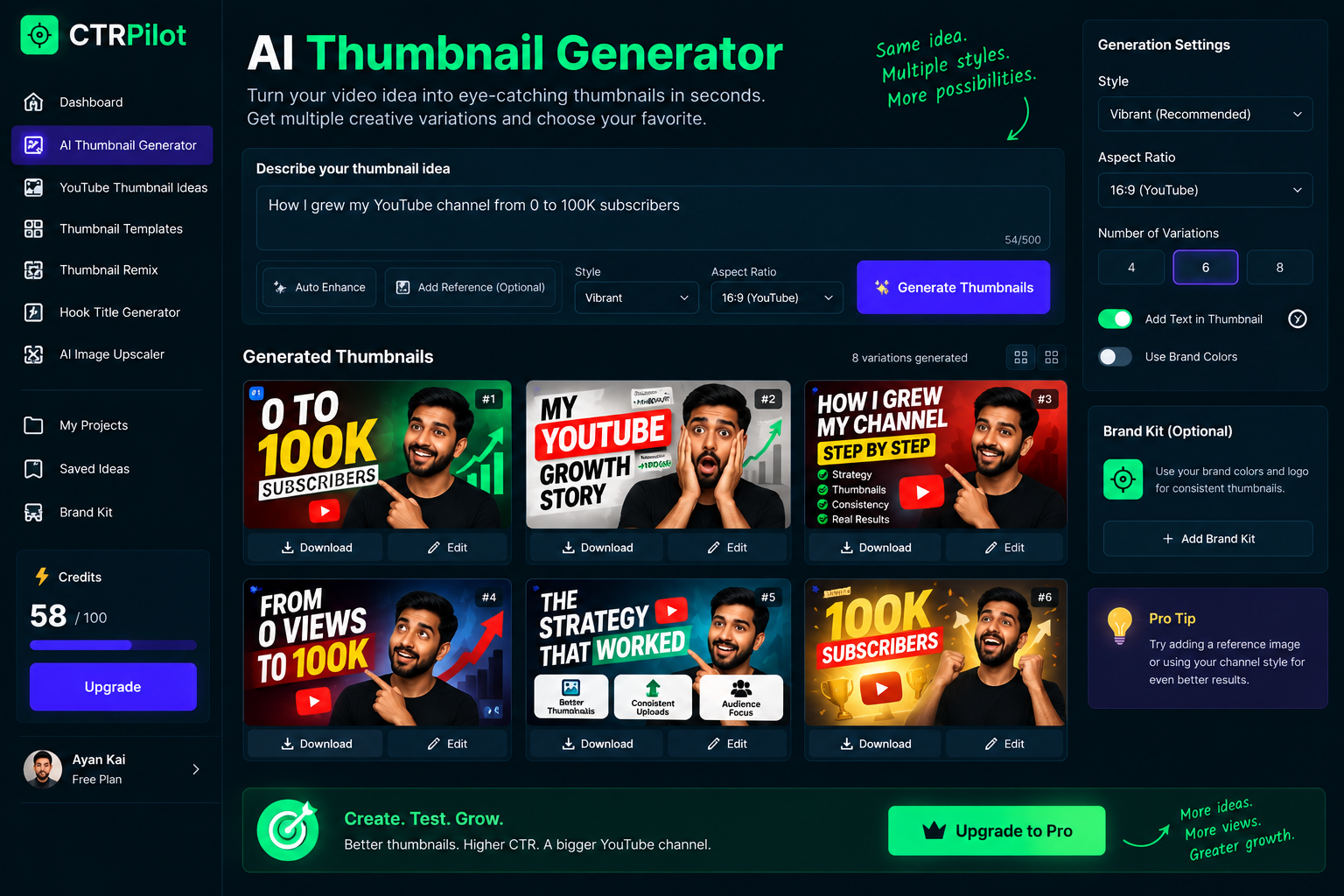
AI can help creators explore multiple thumbnail directions while keeping their visual identity in mind.
You can start with a topic and generate different concepts.
Then refine the direction that fits your channel.
For example:
Video idea:
“How I Grew My YouTube Channel”
Possible directions:
A: Growth chart + creator
B: Subscriber milestone + reaction
C: Before/after channel analytics
D: Large number + simple composition
You can explore several directions while keeping your visual identity in mind.
Templates Can Become Creative Constraints
Constraints often help creativity.
If you already know your channel uses:
Green + black + white
and
Large bold typography
you don’t need to make those decisions again.
You can spend your creative energy on the actual story.
Instead of asking:
“What should this thumbnail look like?”
you can ask:
“What’s the most interesting way to communicate this video?”
That’s a much better question.
Your Thumbnail and Title Should Work Together
Visual consistency shouldn’t make the thumbnail repetitive.
The thumbnail still needs to communicate something unique about each video.
That’s where the title becomes important.
For example:
Thumbnail:
30 DAYS
Title:
I Built a SaaS Product in 30 Days
The thumbnail creates the visual hook.
The title provides the context.
Together, they tell a more complete story.
Don’t Sacrifice Clarity for Branding
There’s one mistake creators should avoid.
Don’t make your thumbnails so consistent that they become boring.
Your brand system should support the content — not hide it.
If every thumbnail uses exactly the same composition, the channel may look organized but individual videos can become difficult to distinguish.
The goal is:
Consistent identity + unique story
not
identical thumbnails.
This Is Where a Workflow Helps
A good thumbnail workflow can make this process much easier.
Instead of repeatedly starting from zero, you can:
Choose a visual direction
↓
Generate concepts
↓
Refine the strongest idea
↓
Create variations
↓
Improve the final image
↓
Pair it with a strong title
This turns thumbnail creation into a repeatable process.
How CTRPilot Fits Into the Workflow
This is one of the areas CTRPilot is designed to help with.
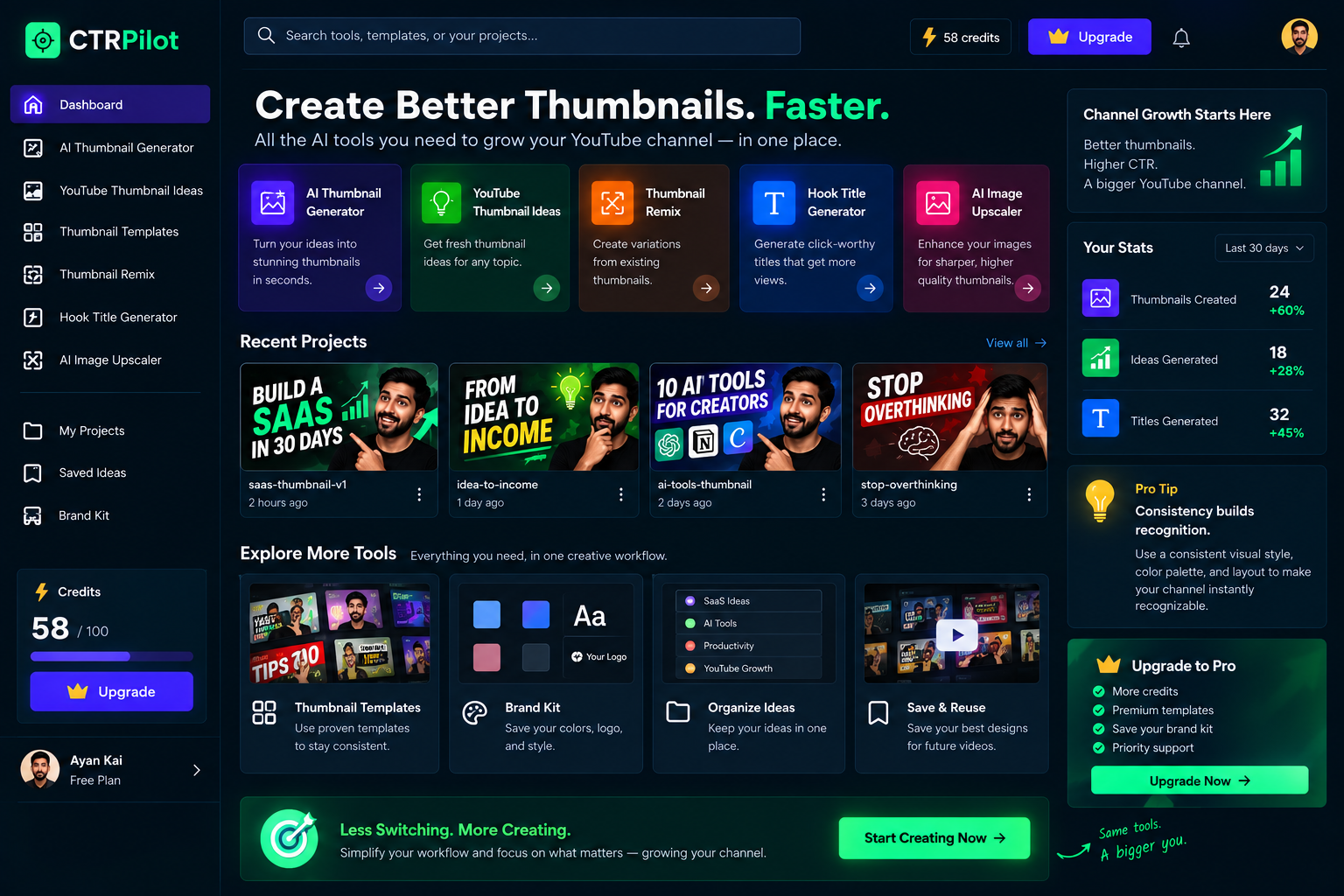
CTRPilot brings thumbnail generation, ideas, remixing, title hooks, and image enhancement into one creative workflow.
Instead of treating every thumbnail as a completely separate project, creators can use a collection of AI-powered tools to explore and refine their ideas.
For example:
AI Thumbnail Generator
Generate thumbnail concepts from your video idea.
YouTube Thumbnail Ideas
Explore different creative directions before settling on one.
Thumbnail Remix
Take an existing concept and experiment with alternative versions.
Hook Title Generator
Create different title angles that complement the thumbnail.
AI Image Upscaler
Improve the quality of visual assets when needed.
The goal isn’t to automate creativity.
It’s to make the creative process faster and more repeatable.
Build a Recognizable Visual Language
Over time, your thumbnails should answer three questions:
Does this look like my channel?
Does this look different from my previous video?
Does this communicate the video’s idea quickly?
If the answer to all three is yes, you’re building a strong visual system.
Consistency Is a Long-Term Strategy
A single thumbnail probably won’t define your channel.
But dozens of thumbnails can.
Every upload gives you another opportunity to reinforce your visual identity.
Eventually, the combination of:
Style + Story + Recognition
can become a powerful part of your channel.
Final Thoughts
Great thumbnails aren’t only about making one video look good.
They’re also about building recognition over time.
The strongest creator brands usually don’t rely on random design decisions.
They develop a visual language and then use that language consistently while still giving every video its own personality.
AI can make this process faster by helping creators explore ideas, generate variations, and refine concepts.
But the creative direction still belongs to the creator.
Build a system.
Stay recognizable.
Keep experimenting.
And most importantly, make every thumbnail tell a story worth clicking.
👉 Explore CTRPilot: CTRPilot