
Creating content sounds simple from the outside.
You have an idea, make a video, create a thumbnail, write a title, and publish.
But anyone who actually creates content knows that the process is rarely that simple.
A single YouTube video can involve several different tools.
One tool for thumbnails.
Another for image editing.
Another for titles.
Another for upscaling.
Another for organizing ideas.
And suddenly, a simple creative task becomes a constant process of switching between tabs, dashboards, files, and platforms.
That hidden friction can have a bigger impact than we realize.
The Problem Isn’t Always the Work
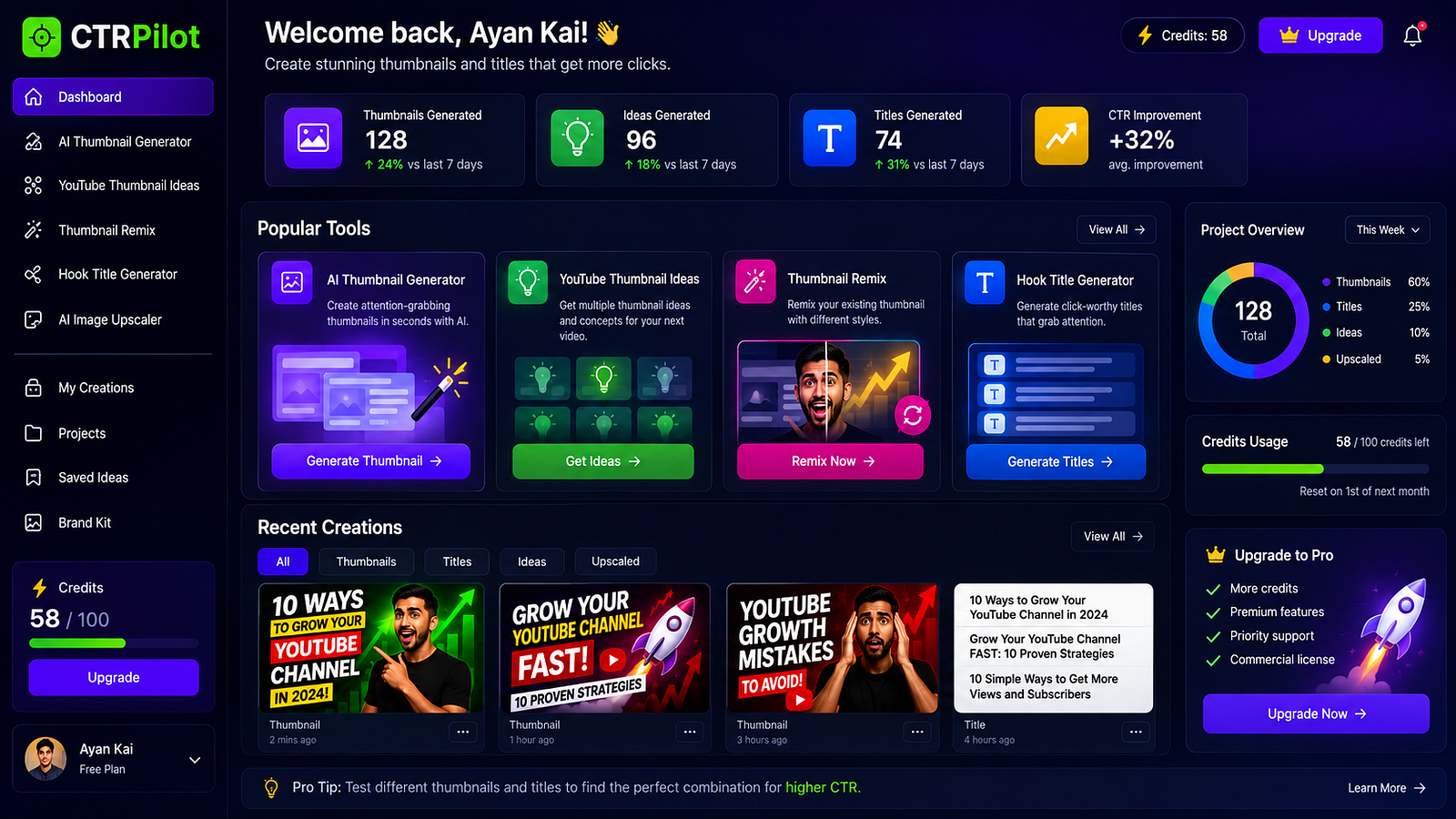
A centralized workspace can reduce the friction of switching between different creator tools.
Sometimes the work itself isn’t the biggest problem.
The problem is everything that happens between the work.
Imagine you’re creating a thumbnail.
You open your design tool.
Then you need an image.
So you open another website.
You download the image.
Then you realize the resolution isn’t good enough.
You open an upscaling tool.
After finishing the thumbnail, you need a title.
So you switch to another AI tool.
Then you save everything somewhere else.
None of these tasks is particularly difficult.
But together, they create friction.
And friction adds up.
Context Switching Has a Cost
Every time you move from one tool to another, your brain has to adjust.
You have to remember:
Where you were
What you were trying to create
Which version you were working on
What you wanted to change
Which file was the latest version
The more tools you use, the more mental overhead you introduce.
For creators working on multiple videos, this can become especially frustrating.
You’re not just creating content anymore.
You’re also managing the process of creating content.
A Creator’s Workflow Can Become Fragmented
Consider a typical workflow:
Video idea
↓
AI writing tool
↓
Video editor
↓
Thumbnail design tool
↓
Image search
↓
Image upscaler
↓
Title generator
↓
Cloud storage
↓
YouTube Studio
Each tool might be useful individually.
But the overall workflow becomes fragmented.
The creator has to connect everything manually.
That’s where I think there’s an opportunity for better creator-focused software.
What If the Workflow Started With the Video?
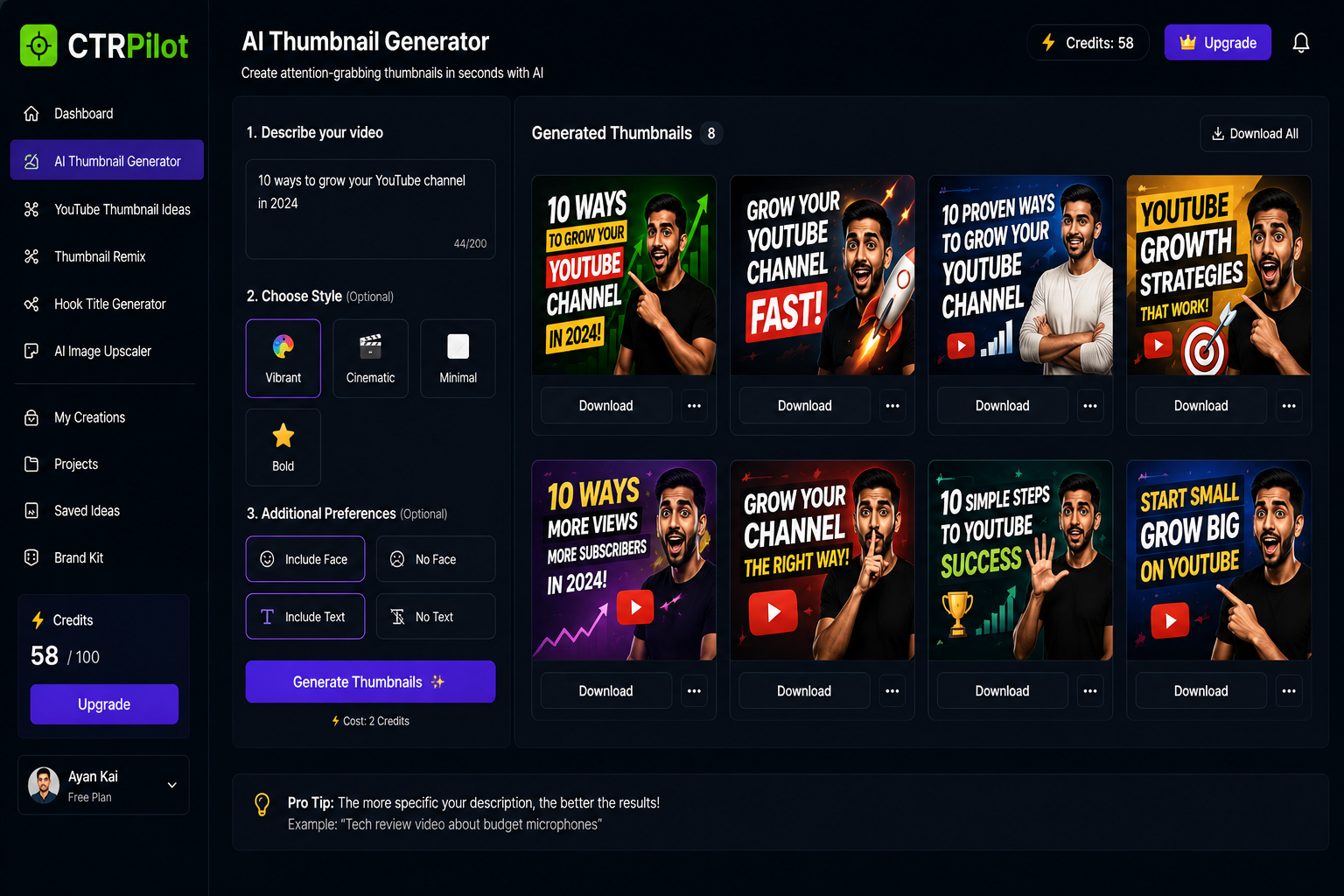
Start with a video idea and turn it into visual thumbnail concepts in one workflow.
Instead of thinking about individual tools, imagine starting with one piece of information:
Your video idea.
From there, you could explore:
Thumbnail concepts
Visual variations
Thumbnail improvements
Title ideas
Final assets
Everything remains connected to the same creative project.
That changes the experience.
You’re no longer jumping between unrelated tools.
You’re working through one workflow.
This Is One of the Ideas Behind CTRPilot
While building CTRPilot, I’ve been thinking about this problem a lot.
The goal isn’t simply to build another AI image generator.
It’s to bring several parts of the YouTube packaging workflow closer together.
For example, a creator can work with tools for:
AI thumbnail generation
YouTube thumbnail ideas
Thumbnail remixing
Hook title generation
Image upscaling
Managing creations and projects
Each tool solves a different problem.
But they are designed around the same creator workflow.
Why Keeping Context Matters
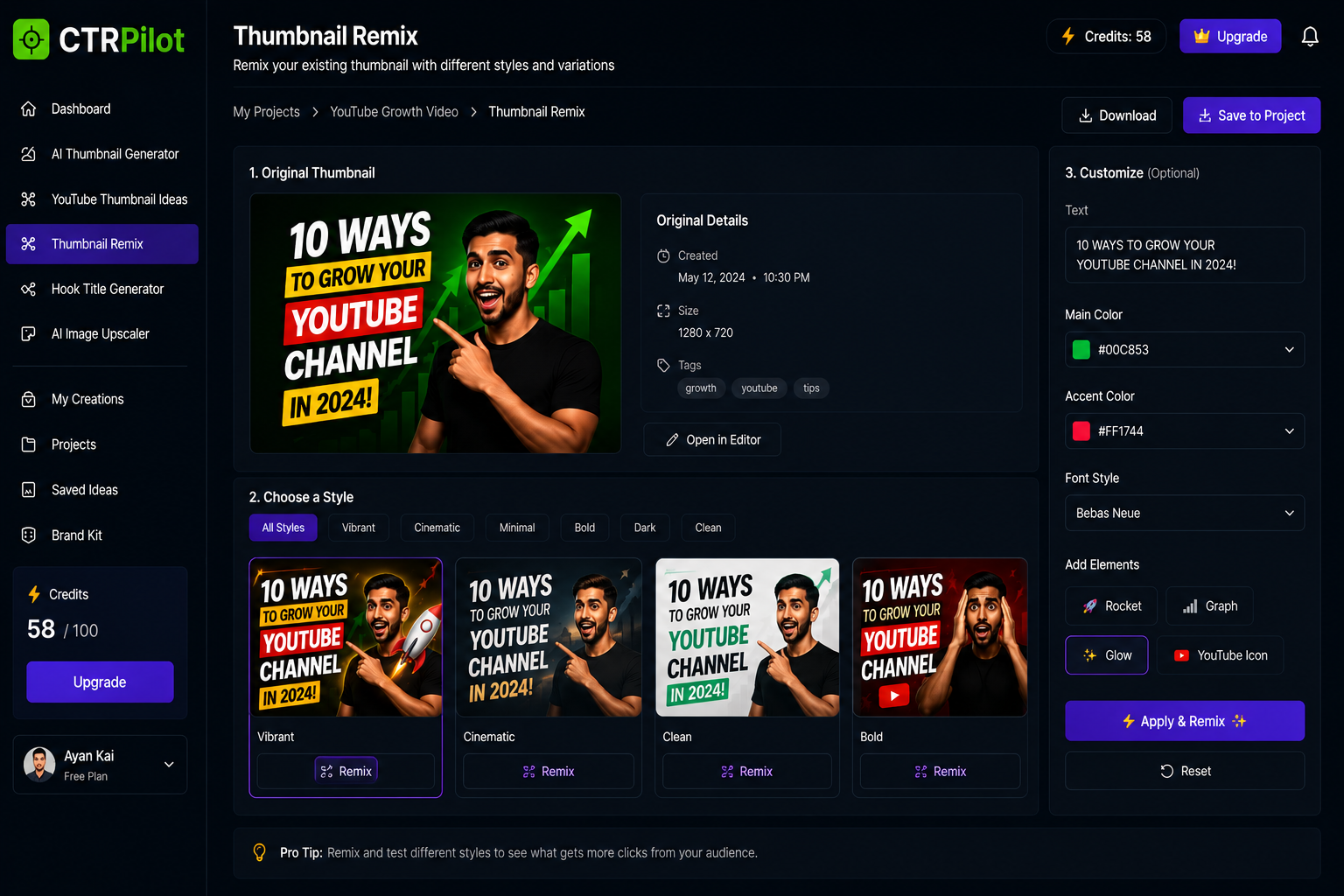
Refine an existing thumbnail without rebuilding the creative process from scratch.
Imagine you’ve already created a thumbnail for a video.
You know:
The topic
The audience
The visual style
The main message
The thumbnail concept
Now you want a title.
If you have to explain the entire context again in another tool, you’re doing unnecessary work.
The more context that stays inside the workflow, the less repetition is required.
That’s one of the things I think AI-powered creator tools can improve.
One Project Can Contain Everything
A useful creator workspace shouldn’t only store finished images.
It can also contain the thinking behind them.
For example:
Project: YouTube Growth Video
Video idea:
10 Ways to Grow Your YouTube Channel
Thumbnail concepts:
5 generated variations
Selected thumbnail:
Growth-focused design
Remixes:
Bold + Cinematic + Minimal
Title ideas:
10 generated hooks
Final assets:
Ready for publishing
Now everything belongs to the same project.
You don’t need to remember where every individual file came from.
This Doesn’t Mean One Tool Should Do Everything
There’s an important distinction here.
I’m not saying creators should never use external tools.
Different tools will always be better at different things.
The problem is unnecessary switching.
A creator should be able to stay focused on the creative decision instead of worrying about moving files and context between applications.
That’s the experience I’m interested in improving.
AI Makes This More Interesting
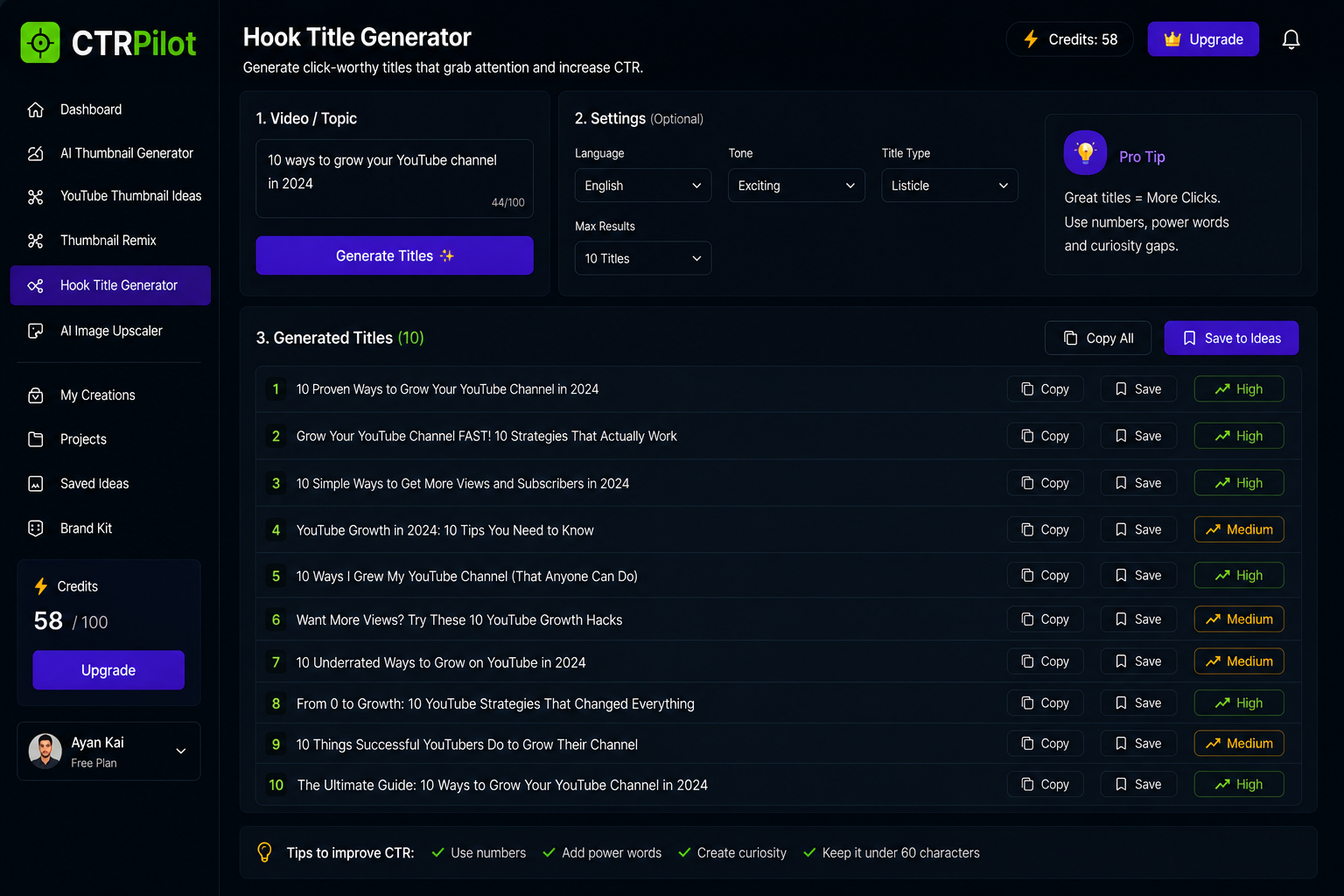
Generate title ideas while keeping the video’s creative context in the same workflow.
AI adds another layer to the workflow.
Previously, many creative tasks required manual execution.
Now AI can help with:
Ideation
Generate possible directions.
Creation
Turn a concept into a visual starting point.
Variation
Explore different styles.
Refinement
Improve an existing asset.
Optimization
Explore different titles or packaging options.
The result isn’t just faster generation.
It’s a more connected creative process.
The Goal Is Fewer Interruptions
For me, productivity isn’t simply about doing more tasks per hour.
It’s about reducing unnecessary interruptions.
If a creator can stay focused on the question:
“How should I present this video?”
instead of:
“Which tool do I need to open next?”
that’s a meaningful improvement.
The software should handle more of the operational friction.
The creator should spend more time making decisions.
Building for Creators Means Understanding Their Real Workflow
One thing I’ve learned while working on CTRPilot is that features don’t exist in isolation.
A thumbnail generator is useful.
A title generator is useful.
An upscaler is useful.
But the real value comes from how those features work together.
That’s why I’m interested in building around the workflow, not just individual AI features.
A Better Creator Workflow
I think the ideal process looks something like this:
1. Start with an idea
↓
2. Explore visual concepts
↓
3. Create and refine the thumbnail
↓
4. Generate complementary titles
↓
5. Improve the final assets
↓
6. Organize everything in one project
↓
7. Publish
The creator still controls every important decision.
The software simply removes some of the friction in between.
Final Thoughts
The future of creator software isn’t necessarily about adding more features.
Sometimes it’s about connecting the right features in a way that feels natural.
Creators already have enough tools.
What they need is a workflow that doesn’t constantly pull them out of their creative process.
That’s one of the problems I’m exploring with CTRPilot.
Less context switching. Less repetitive work. More time for creativity.
Because the best creator tools shouldn’t make creators work harder.
They should make the creative process feel simpler.
👉 Try CTRPilot: CTRPilot