Growth · 4 min read
Why AI YouTube Thumbnail Generators Are Becoming Essential for Creators (And How CTRPilot Makes It Easier)
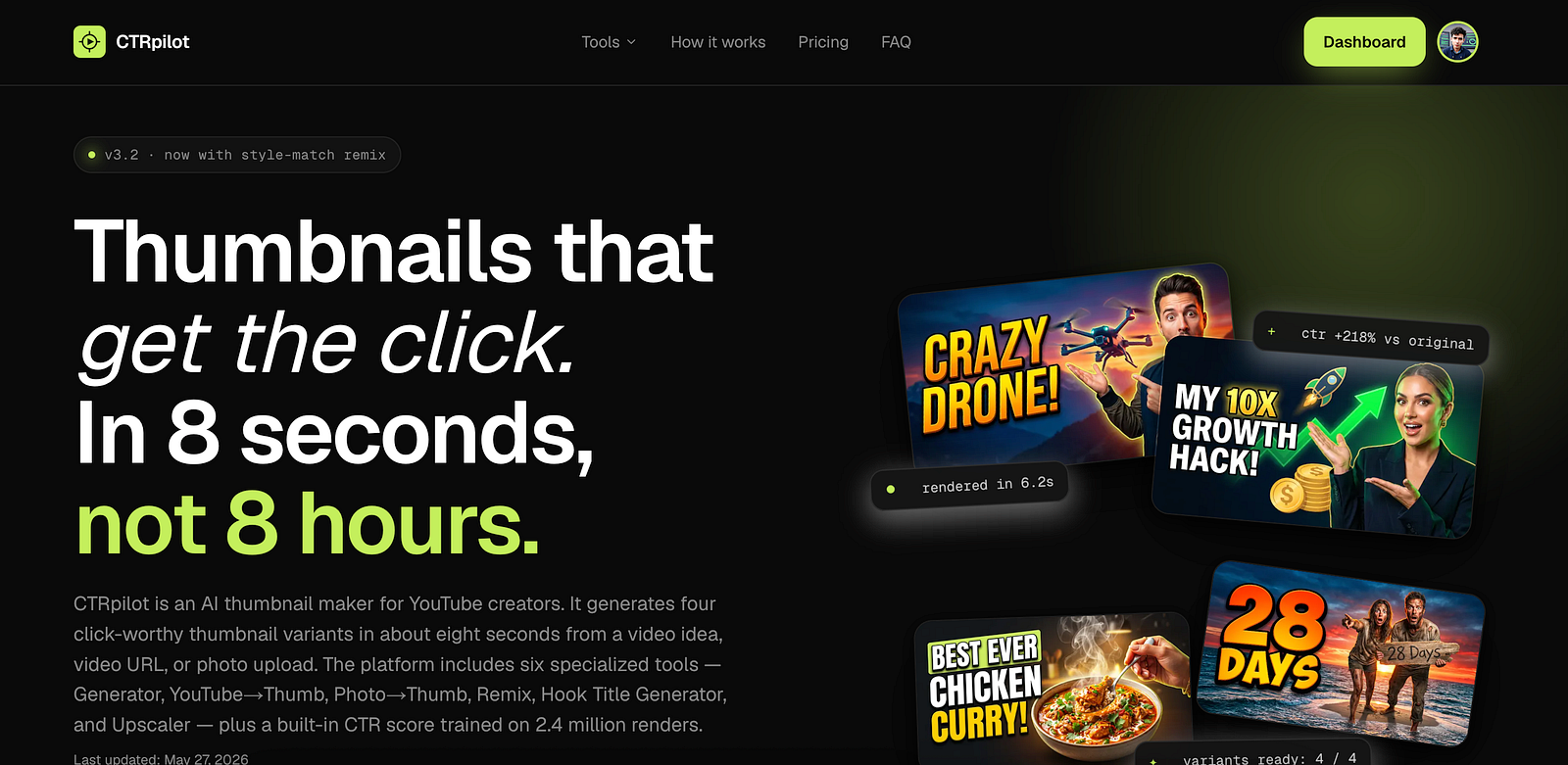
CTRPilot helps creators generate professional YouTube thumbnails with AI.
Publishing a great YouTube video is only half the battle.
Before anyone watches your content, they make one simple decision: Should I click this video?
That decision is often based on just two things — your title and your thumbnail.
Even if you’ve spent hours researching, scripting, recording, and editing a video, a weak thumbnail can dramatically reduce its chances of getting noticed. That’s why many successful creators spend as much time designing thumbnails as they do creating content.
The good news? AI is changing that.
Instead of starting every thumbnail from scratch, creators can now generate professional-looking concepts in minutes. One tool that’s built specifically for this purpose is CTRPilot, an AI YouTube Thumbnail Generator designed to help creators produce eye-catching thumbnails faster.
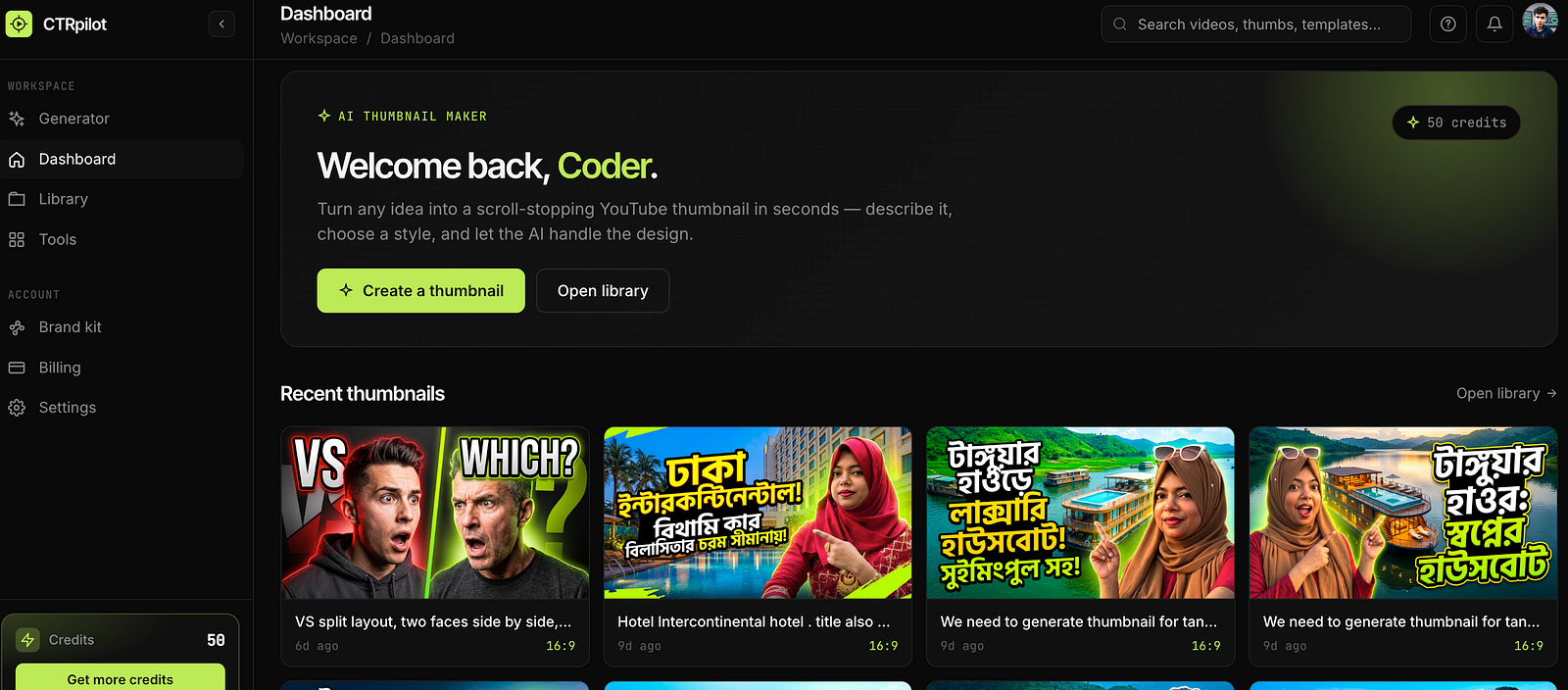
The CTRPilot dashboard where creators can generate AI-powered thumbnails.
Why Thumbnails Matter More Than Ever
YouTube is more competitive than ever.
Millions of videos compete for attention every day, and viewers scroll through dozens of options before choosing what to watch.
A compelling thumbnail can:
Increase your click-through rate (CTR)
Help your videos stand out in search results
Improve discoverability
Encourage more viewers to watch your content
While a great thumbnail can’t guarantee a viral video, it gives your content the best possible chance to earn that first click.
The Traditional Thumbnail Design Process
Creating thumbnails manually usually involves several time-consuming steps:
Looking for inspiration
Finding or creating images
Removing backgrounds
Adding text
Choosing colors
Adjusting lighting
Testing different layouts
For creators who publish multiple videos each week, this workflow can easily consume several hours.
Not everyone has Photoshop skills, and hiring a designer for every video isn’t practical for many creators.
How AI Changes the Workflow
AI doesn’t replace creativity — it removes repetitive work.
Instead of spending 30–60 minutes creating a thumbnail from scratch, you can simply describe your video and let AI generate multiple concepts within seconds.
From there, you choose your favorite design, make small adjustments if needed, and publish.
This allows creators to spend more time producing quality videos instead of designing graphics.
Meet CTRPilot
CTRPilot is an AI-powered YouTube Thumbnail Generator built specifically for creators.
Unlike general-purpose image generation tools, it focuses on solving one problem exceptionally well: helping creators produce thumbnails that are visually appealing and designed to attract clicks.
Whether you’re launching a new video or refreshing an older one, CTRPilot provides several AI-powered tools to speed up the process.
Features That Make CTRPilot Useful
AI Thumbnail Generator
Describe your video in a few words, and CTRPilot generates multiple thumbnail concepts with attention-grabbing layouts.
Instead of starting with a blank canvas, you begin with several creative options.
YouTube URL to Thumbnail
Already published a video?
Paste the YouTube URL, and CTRPilot can generate fresh thumbnail ideas based on the video’s content.
This is especially useful for updating older videos that deserve another chance.
Photo to Thumbnail
If you already have a photo, upload it.
The AI can enhance the image, improve composition, and prepare it for use as a YouTube thumbnail.
Thumbnail Remix
Sometimes you like a thumbnail but want to explore different styles.
The Remix feature creates multiple variations without forcing you to start over.
Hook Title Generator
A strong thumbnail works best with a strong title.
CTRPilot also helps generate attention-grabbing title ideas that complement your thumbnail.
4K Thumbnail Upscaler
Need a sharper image?
The built-in AI upscaler improves thumbnail quality while maintaining clarity, making it suitable for high-resolution displays.
A Simple Workflow
One of the biggest advantages of AI tools is simplicity.
A typical workflow looks like this:
Describe your video idea.
Generate multiple thumbnail concepts.
Compare the variations.
Choose your favorite design.
Make small edits if necessary.
Download and upload to YouTube.
The entire process can take just a few minutes.
Who Can Benefit from CTRPilot?
CTRPilot isn’t just for full-time YouTubers.
It can also be useful for:
Content creators
Digital marketers
Agencies
Freelancers
Coaches
Online educators
Small businesses
Podcasters
Anyone publishing video content regularly
If thumbnails are slowing down your publishing workflow, AI can save valuable time.
Can AI-Generated Thumbnails Increase CTR?
There’s no tool that can guarantee more views.
A successful YouTube video still depends on valuable content, engaging storytelling, and audience retention.
However, better thumbnails often lead to higher click-through rates, which means more people actually start watching your videos.
When combined with compelling titles and quality content, strong thumbnails can make a noticeable difference.
Final Thoughts
Designing YouTube thumbnails doesn’t have to be the most time-consuming part of publishing videos.
AI tools like CTRPilot help creators generate professional-looking thumbnail concepts in minutes, allowing them to focus on creating better content instead of spending hours adjusting fonts, colors, and layouts.
As AI continues to improve creative workflows, tools built for specific tasks — like YouTube thumbnail generation — are becoming increasingly valuable for creators who want to work faster without sacrificing quality.
If you’re looking for a faster way to create engaging YouTube thumbnails, CTRPilot is worth exploring.
Get AI thumbnails that beat your niche CTR benchmarks
Sign up with your email — 5 free credits, no card required. Generate 4 high-CTR thumbnail variants in seconds.
No spam. Unsubscribe any time.
Related articles
Put this into practice with AI-generated thumbnails.
CTRpilot generates 4 high-CTR thumbnail variants in 8 seconds. Start with 5 free credits.