Growth · 5 min read
YouTube Thumbnail A/B Testing: How to Grow Your Channel With Better Thumbnails
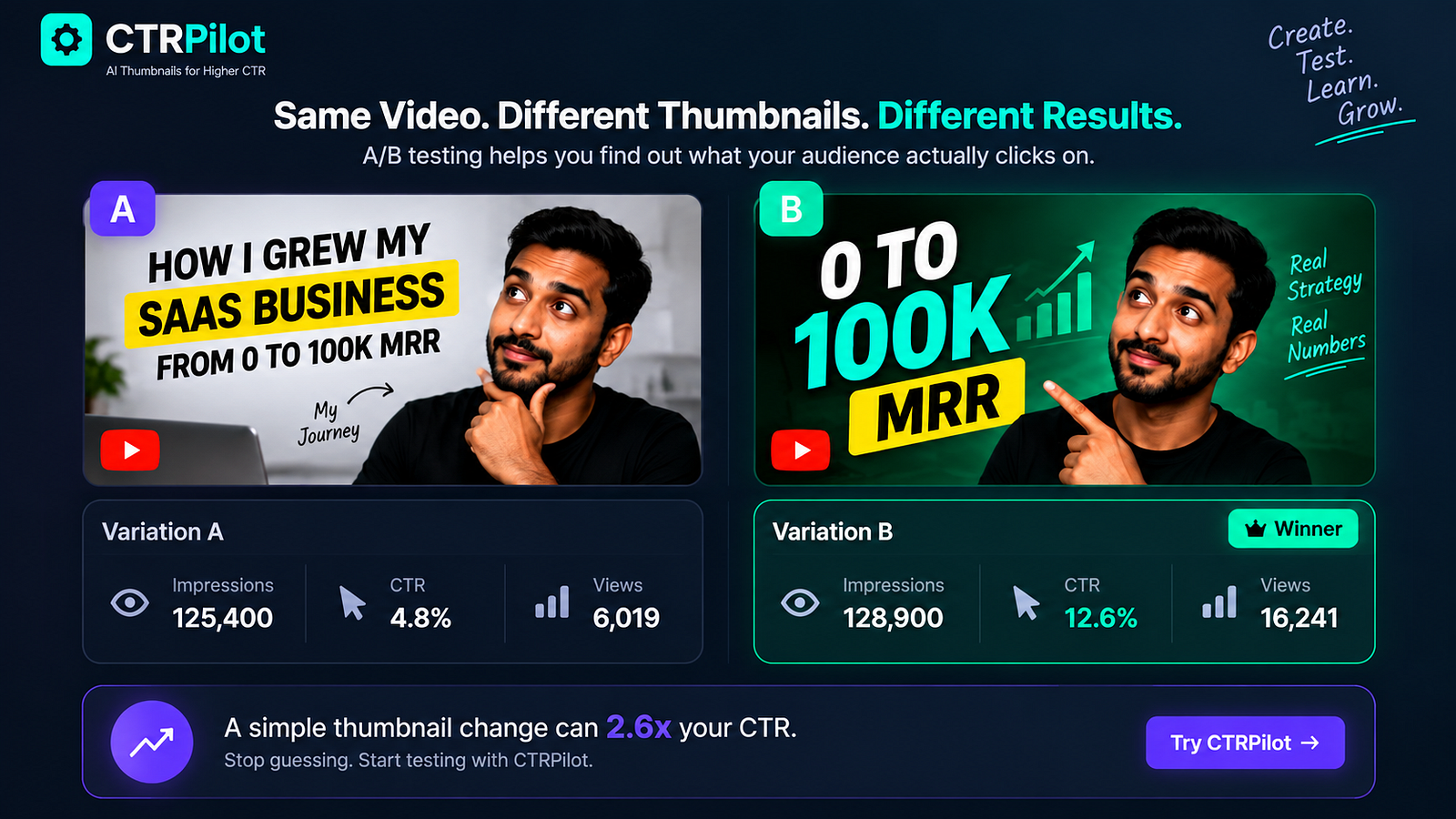
A great YouTube video can still struggle if the thumbnail doesn’t make people want to click.
Creators often spend hours editing videos, writing titles, and improving their content — but thumbnails are sometimes treated as an afterthought.
The problem is that a thumbnail you personally like isn’t necessarily the thumbnail your audience will respond to.
That’s where A/B testing comes in.
Instead of guessing which thumbnail will perform better, creators can experiment with different designs, compare the results, and use data to make better decisions.
What Is YouTube Thumbnail A/B Testing?
Thumbnail A/B testing means comparing different versions of a thumbnail to understand which one performs better with your audience.
Same video. Different thumbnails. Different results.
For example, imagine your video is about:
How I Grew My SaaS Business From $0 to $100K MRR
You could create several thumbnail concepts:
Version A: “0 → $100K” with a growth chart
Version B: “MY SAAS GROWTH” with a personal reaction
Version C: “$100K MRR” with a revenue-focused design
Version D: “FROM IDEA TO $100K” with a journey-focused layout
The video stays the same.
Only the thumbnail changes.
This gives you an opportunity to learn which visual approach gets stronger engagement.
Your Favorite Thumbnail Isn’t Always the Best One
One of the biggest mistakes creators make is choosing a thumbnail based entirely on personal preference.
You might think a particular design looks amazing.
But your audience might respond differently.
A thumbnail can look beautiful and still fail to communicate the video’s value quickly.
That’s why testing is useful.
Instead of asking:
“Which thumbnail do I like?”
You can start asking:
“Which thumbnail does my audience respond to?”
That small change in mindset can make the creative process much more data-driven.
Small Changes Can Create Big Differences
You don’t always need to completely redesign a thumbnail.
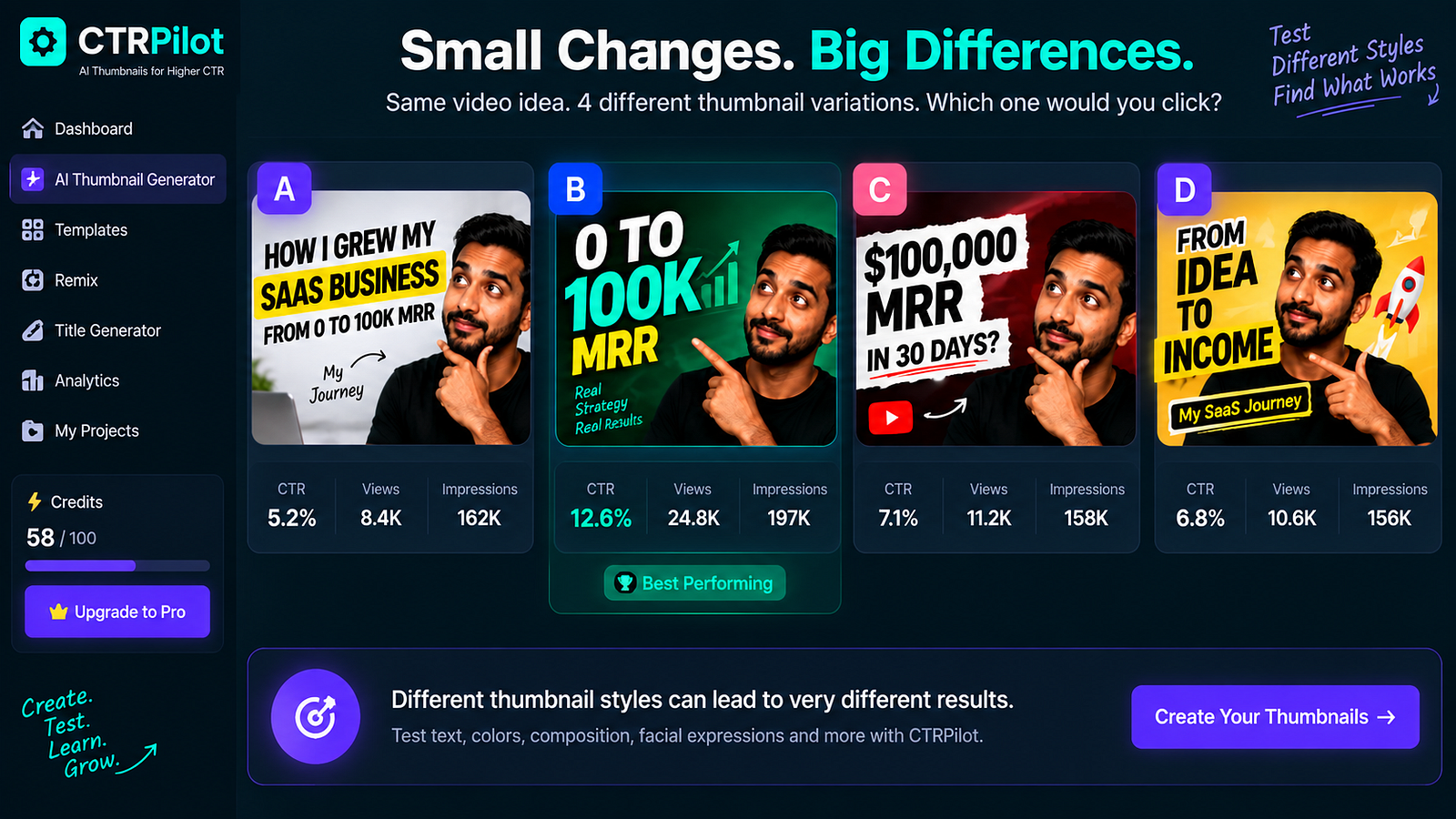
Small changes in text, composition, and visual hierarchy can create very different thumbnail concepts.
Sometimes a small change can create a completely different visual experience.
For example:
Version A
0 TO 100K SUBSCRIBERS
Version B
CAN YOU REACH 100K?
Both thumbnails communicate a similar idea.
But they use different psychological angles.
One focuses on the result.
The other creates curiosity.
Other elements you can experiment with include:
Thumbnail text
Font size
Image placement
Facial expressions
Background color
Contrast
Visual hierarchy
Numbers and statistics
Before/after concepts
Product-focused vs. person-focused designs
These small variations can help you discover what resonates with your audience.
Start With a Hypothesis
A/B testing works better when you have a reason behind each variation.
Instead of randomly creating five thumbnails, start with a hypothesis.
For example:
“A result-focused thumbnail might perform better because viewers can immediately understand the benefit.”
Then create a variation around that idea.
Another hypothesis could be:
“Using less text might make the thumbnail easier to understand on mobile.”
Now you’re not just designing thumbnails.
You’re running small experiments.
Don’t Change Everything at Once
If you’re testing thumbnails, try to understand what you’re actually testing.
For example, if Version A has:
A different image
Different text
Different colors
Different composition
Different visual style
and Version B changes all of those things, it becomes harder to understand why one performed differently.
You can still test completely different concepts, but keeping a clear testing objective makes the results more useful.
For example:
Test 1: Text-heavy vs. minimal text
Test 2: Person-focused vs. product-focused
Test 3: Result-focused vs. curiosity-focused
Test 4: Bright background vs. dark background
Over time, these experiments can reveal patterns.
CTR Is Important, But It’s Not Everything
Click-through rate, or CTR, is an important metric for understanding how often people click after seeing your video.
But it shouldn’t be viewed in isolation.
A thumbnail might generate clicks but fail to attract the right viewers.
That’s why creators should also consider metrics such as:
Impressions
Views
Watch time
Audience retention
Engagement
Subscriber growth
The goal isn’t simply to create a thumbnail that gets clicks.
The goal is to create a thumbnail that attracts the right audience for the video.
Your Thumbnail and Title Should Work Together
A thumbnail doesn’t exist by itself.
The title and thumbnail are usually the first combination a potential viewer sees.
For example:
Title:
How I Built a SaaS From $0 to $100K MRR
Thumbnail:
0 → $100K MRR
The thumbnail doesn’t need to repeat the entire title.
Instead, the two elements can complement each other.
The title can provide context while the thumbnail creates visual interest.
This gives viewers enough information to understand the topic without overwhelming them.
AI Makes Thumbnail Experimentation Faster
Creating multiple high-quality thumbnail concepts manually can take a lot of time.
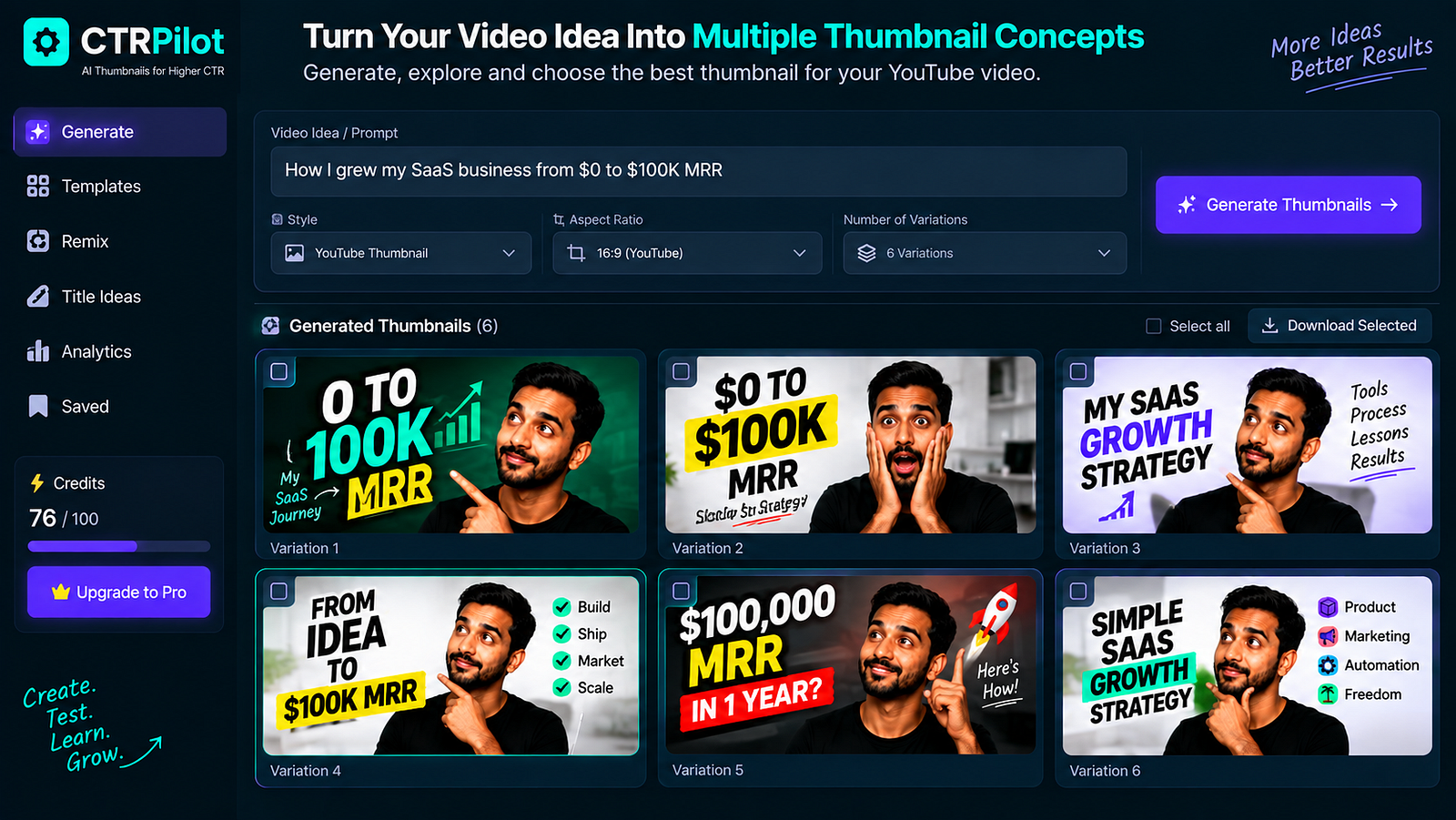
AI makes it faster to explore multiple thumbnail concepts from a single video idea.
AI tools can make the exploration process much faster.
Instead of starting from a blank canvas every time, creators can generate multiple concepts from the same video idea and then refine the ones they like.
This makes it easier to experiment with:
Different visual styles
Different text hooks
Different compositions
Different audience angles
Different thumbnail concepts
The important part is that AI shouldn’t replace creative thinking.
It should make experimentation easier.
Where CTRPilot Fits In
This is the workflow I like:
Generate → Remix → Create Title Hooks → Compare → Choose
With CTRPilot, creators can explore different thumbnail concepts from a single video idea.
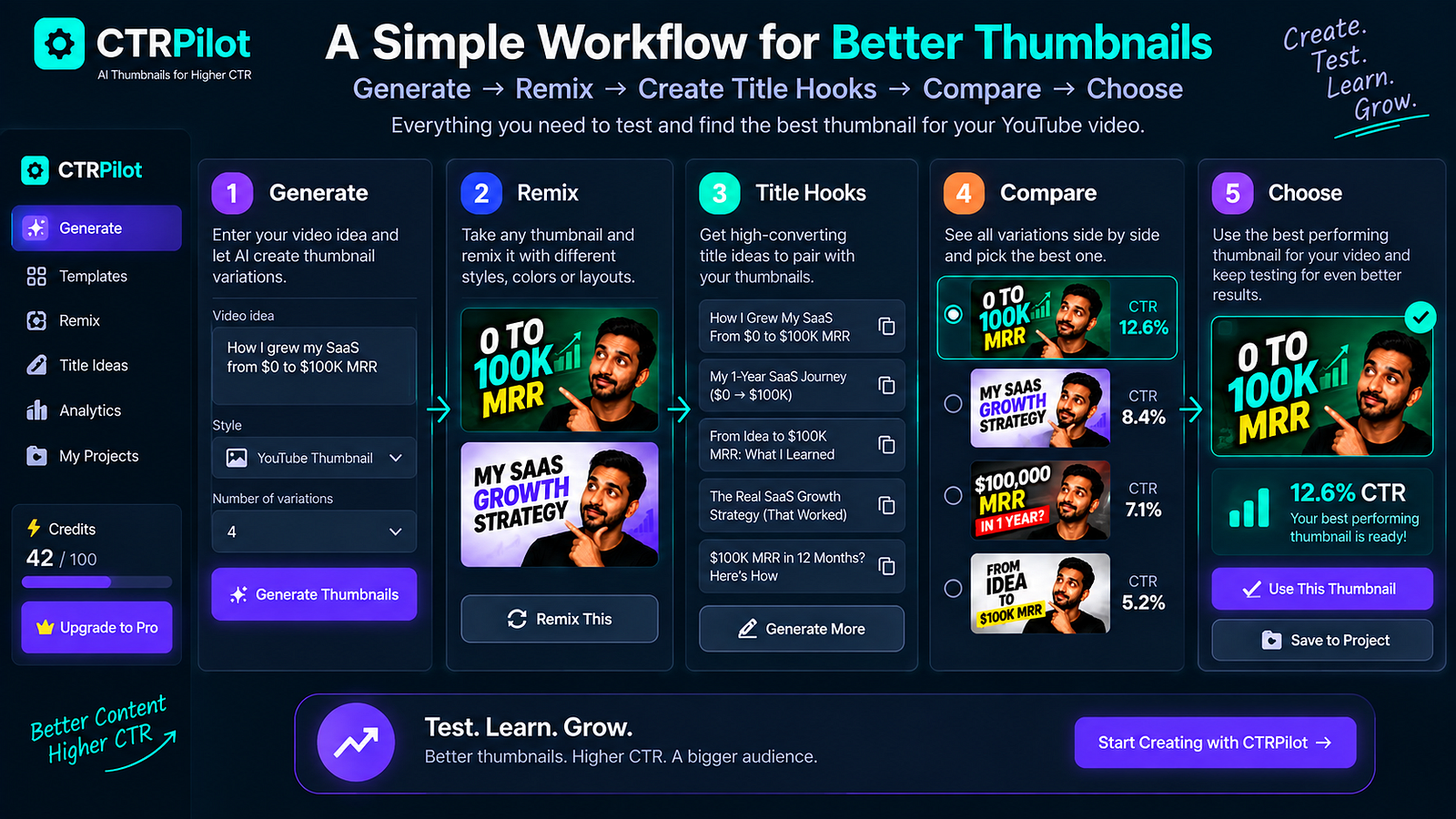
A focused workflow helps creators generate, refine, compare, and choose thumbnail ideas faster.
You can generate AI thumbnails, remix existing concepts, explore thumbnail ideas, create title hooks, and upscale images for higher-quality visuals.
The goal isn’t to create hundreds of random thumbnails.
It’s to make it easier to explore different creative directions and find concepts worth testing.
👉 Explore CTRPilot: https://ctrpilot.com/
Build a Thumbnail Testing Library
One experiment is useful.
A collection of experiments is even more useful.
Keep track of your previous thumbnail tests.
For example:
TestVariationResultTextShort vs. LongShort performed betterLayoutPerson Left vs. RightLeft performed betterConceptResult vs. ProcessResult performed betterStyleMinimal vs. BoldBold performed better
Over time, you may start noticing patterns.
Maybe your audience responds better to:
Short text
Large numbers
Strong contrast
Result-focused messaging
Human faces
Simple compositions
These patterns can become part of your channel’s visual strategy.
The Goal Isn’t to Find a Perfect Thumbnail
There probably isn’t one universally perfect thumbnail.
What works can depend on:
Your niche
Your audience
Your video topic
Your title
Your channel size
Your existing audience
The context in which the thumbnail is shown
That’s why testing should be treated as a continuous learning process.
Create. Test. Learn. Repeat.
Every experiment gives you another piece of information about what your audience responds to.
And that information can make your future thumbnails better.
Final Thoughts
YouTube thumbnail design isn’t only a creative exercise.
It’s also an experiment.
Instead of spending all your time trying to predict which thumbnail will work, create multiple ideas, test them, study the results, and use what you learn in your next video.
Small changes in text, composition, and visual hierarchy can create very different results.
The more you test, the more you learn.
And the more you learn, the easier it becomes to make better thumbnail decisions.
Don’t just design thumbnails. Experiment with them. 🎯
Try CTRPilot
If you want to generate and explore multiple thumbnail concepts faster:
Get AI thumbnails that beat your niche CTR benchmarks
Sign up with your email — 5 free credits, no card required. Generate 4 high-CTR thumbnail variants in seconds.
No spam. Unsubscribe any time.
Related articles
Put this into practice with AI-generated thumbnails.
CTRpilot generates 4 high-CTR thumbnail variants in 8 seconds. Start with 5 free credits.