Growth · 5 min read
How I Built a Faster YouTube Thumbnail Workflow With AI
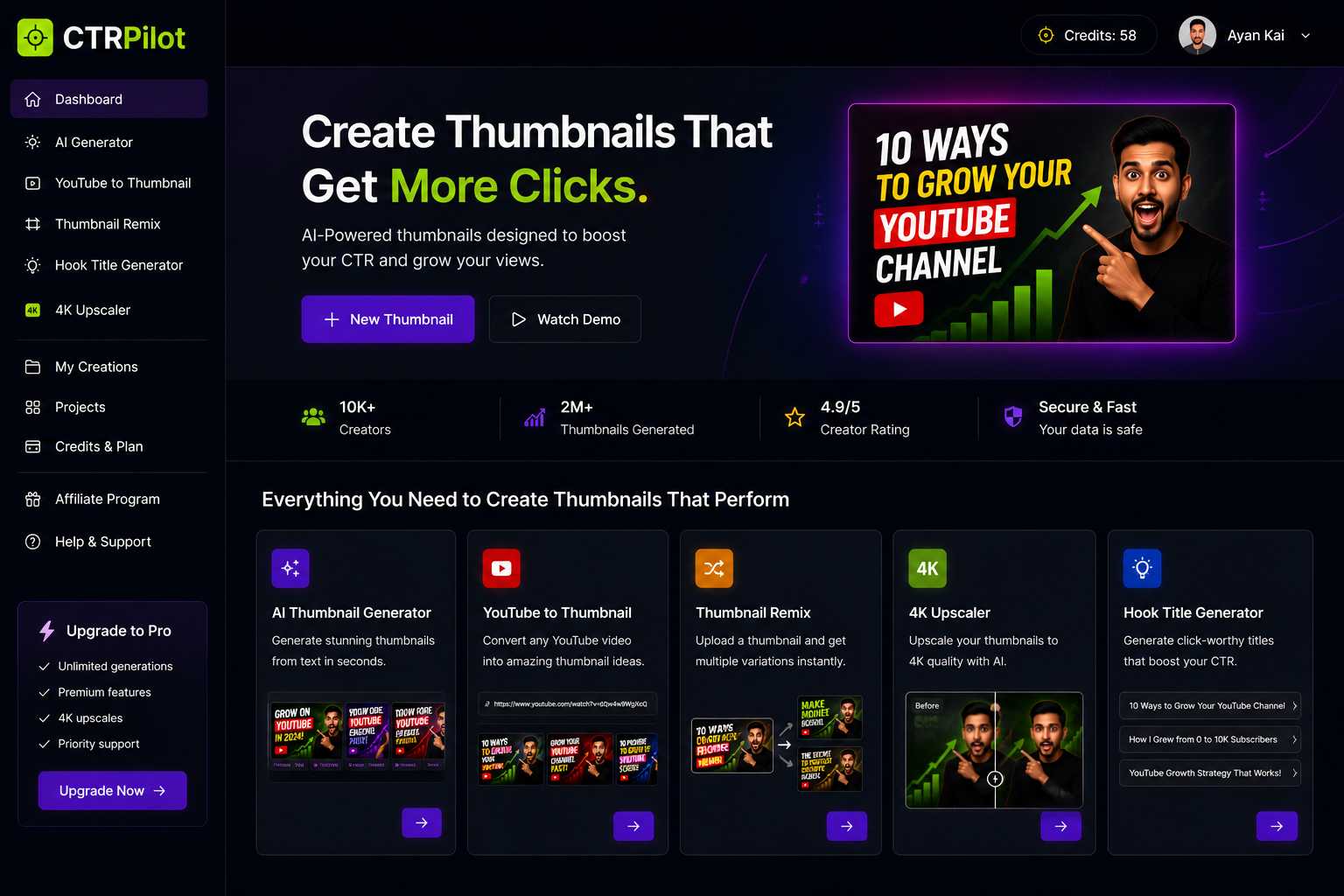
Creating a YouTube video is only half the job.
After finishing the script, recording, editing, and exporting, there’s still one important task left: the thumbnail.
For a long time, I treated thumbnail design as a separate design task. I would create one concept, adjust the colors, change the text, try another layout, and repeat the process until I was satisfied.
The problem was simple:
It took too much time.
That’s what made me rethink the entire workflow.
Instead of asking, “How can I design one better thumbnail?”, I started asking:
“How can I create and compare multiple thumbnail ideas much faster?”
That question eventually led me to build and use CTRPilot, an AI-powered YouTube thumbnail workflow.
The Real Problem Isn’t Designing a Thumbnail
At first, thumbnail creation sounds simple.
You need:
An image
Some text
Good colors
A clear composition
A strong visual hook
But creating all of these manually takes time.
You may need to find an image, remove the background, position the subject, choose typography, adjust contrast, create multiple versions, and finally export everything.
And that’s only for one thumbnail.
If you’re publishing several videos every week, the time adds up quickly.
Starting With an Idea Instead of a Blank Canvas
One of the biggest advantages of AI is that you don’t have to start from an empty design.
With CTRPilot, I can start by describing what the video is about.
For example:
“How to grow a YouTube channel and get more subscribers.”
The AI can then generate several different visual directions.
Instead of spending 30–60 minutes building the first concept, I can immediately see multiple possibilities.
The CTRPilot Workflow
CTRPilot brings AI-powered YouTube thumbnail creation into a single workflow.
The goal isn’t to make every thumbnail look the same.
It’s to make experimentation easier.
Generate Multiple Concepts
Once I have a video idea, the next step is generating thumbnail concepts.
Instead of choosing the first design that looks good, I can compare multiple variations.
Different:
Headlines
Colors
Visual compositions
Expressions
Backgrounds
Layouts
can communicate the same idea in completely different ways.
That makes the creative process much faster.
AI Thumbnail Generator
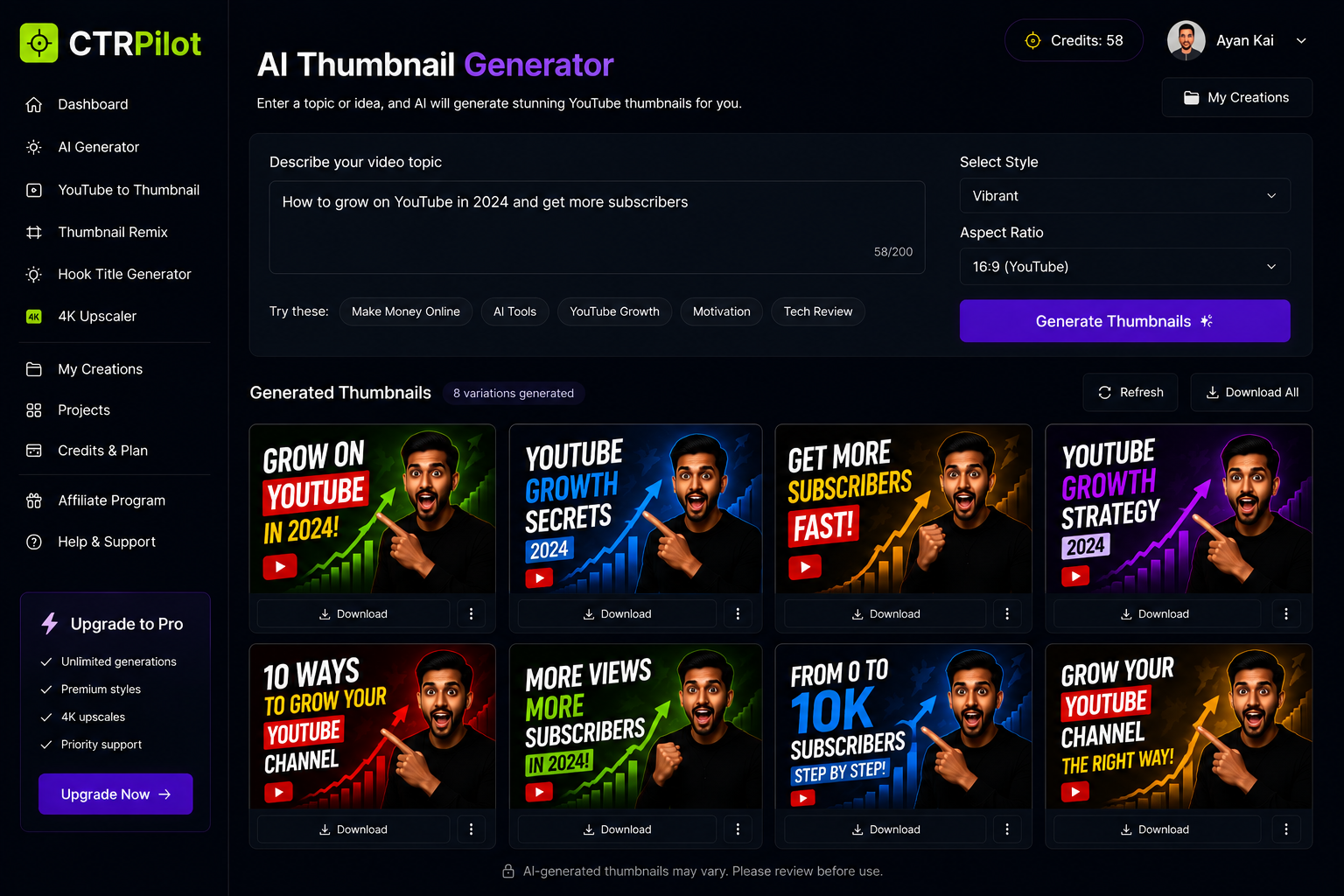
Generate multiple YouTube thumbnail concepts from a simple text prompt.
This is probably the most useful part of the workflow because it turns a simple idea into several starting points.
What If the Video Is Already Published?
This is where the workflow gets even more interesting.
Sometimes you already have a YouTube video that isn’t performing as well as expected.
The video itself might be good.
The title might be good.
But the thumbnail may not be doing its job.
Instead of redesigning everything manually, you can use the existing YouTube video as the starting point.
YouTube to Thumbnail
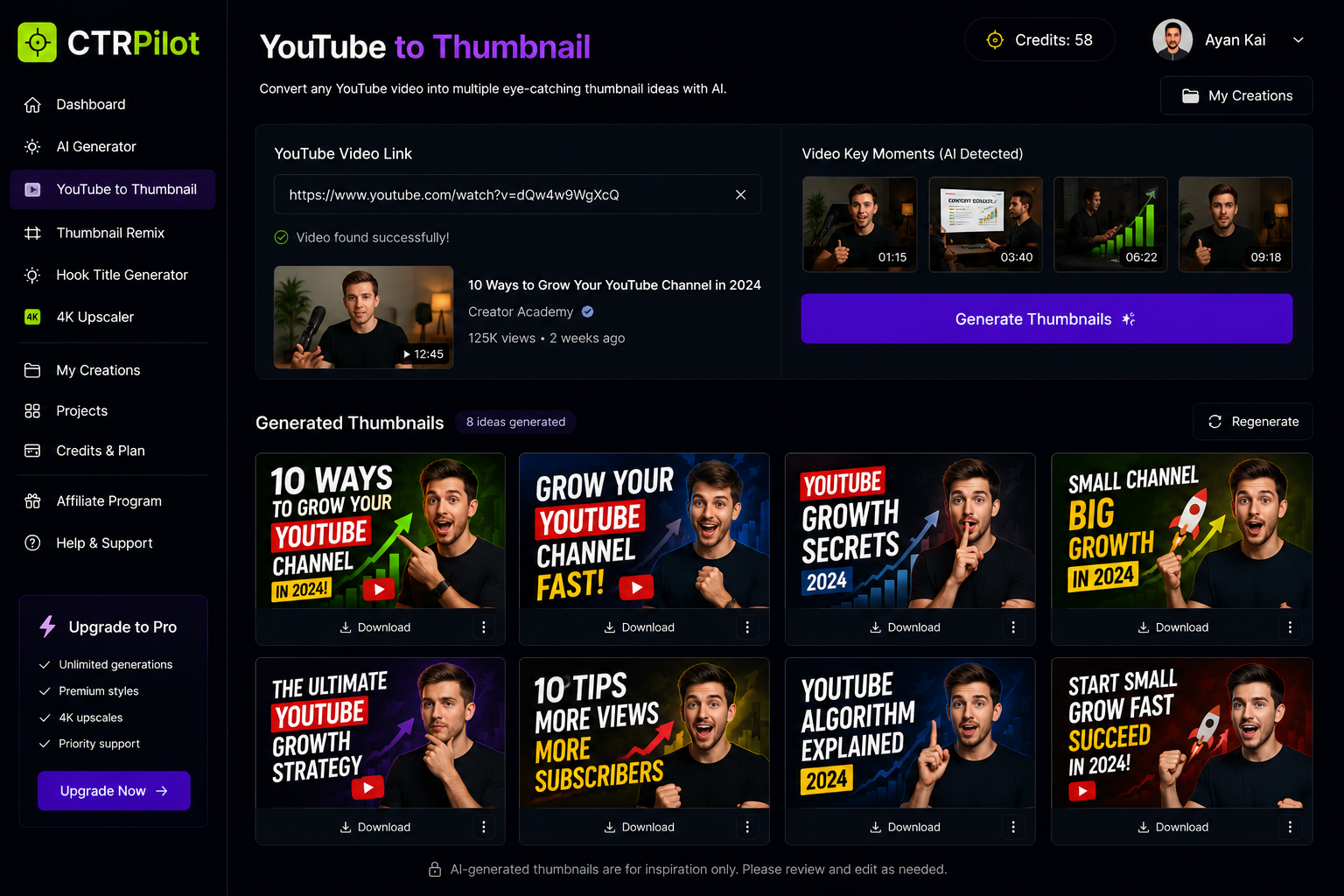
Transform an existing YouTube video into fresh AI-generated thumbnail concepts.
This makes it easier to experiment with older content.
You don’t have to recreate the entire design from scratch.
Remix Instead of Starting Over
Another situation happens frequently:
You already have a thumbnail that you like, but you want to explore alternatives.
Maybe the composition works, but the colors could be stronger.
Maybe the subject is good, but the text isn’t clear enough.
Maybe you simply want five different variations.
That’s where Thumbnail Remix becomes useful.
Thumbnail Remix
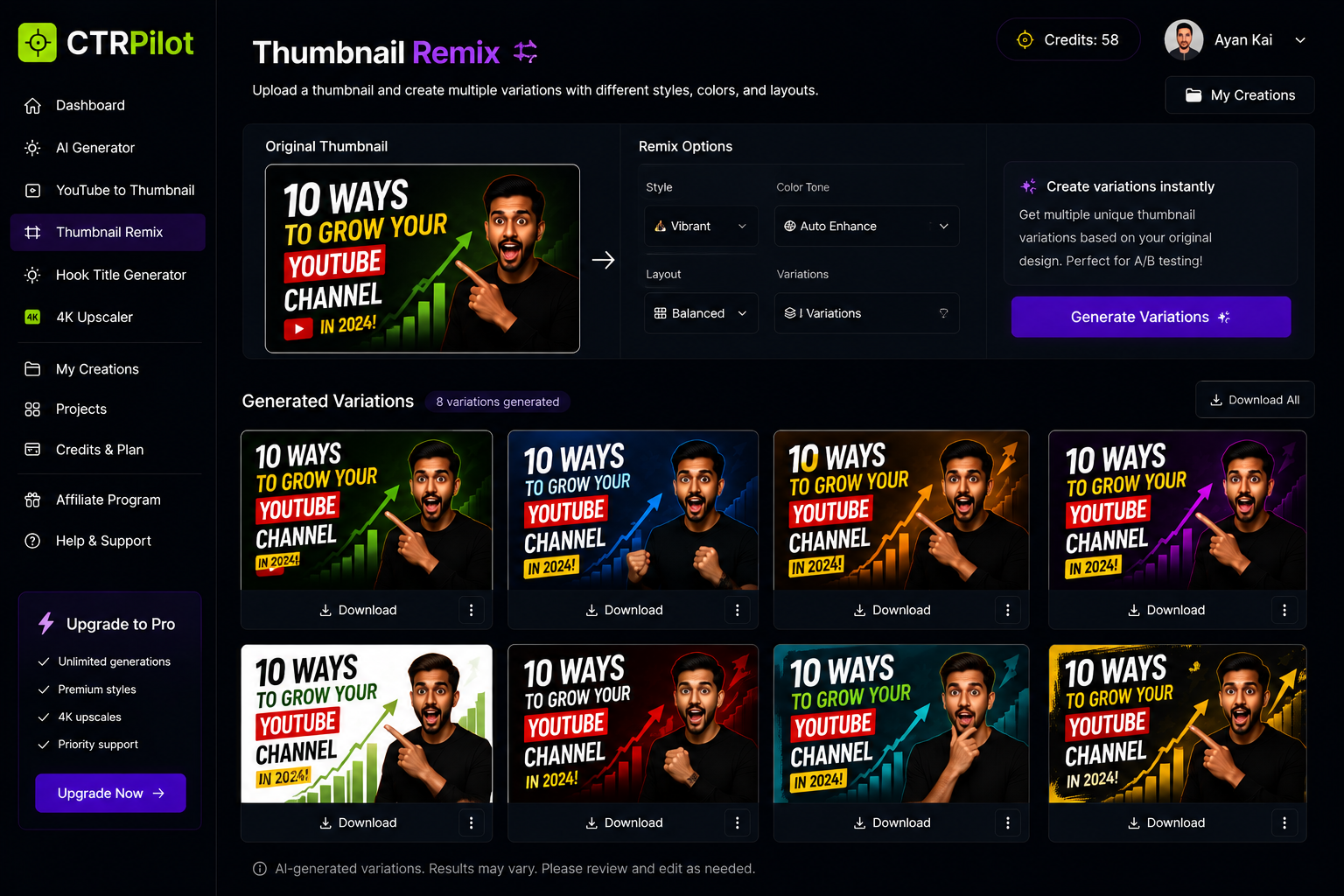
Create multiple thumbnail variations without starting the design from scratch.
The idea is simple:
Keep the concept, change the possibilities.
This makes testing different creative directions much easier.
Don’t Forget Image Quality
A thumbnail can have a great concept and still look bad if the image quality isn’t good.
Low-resolution images become especially noticeable when they’re displayed on larger screens.
That’s why another part of the workflow focuses on image enhancement.
4K Thumbnail Upscaler
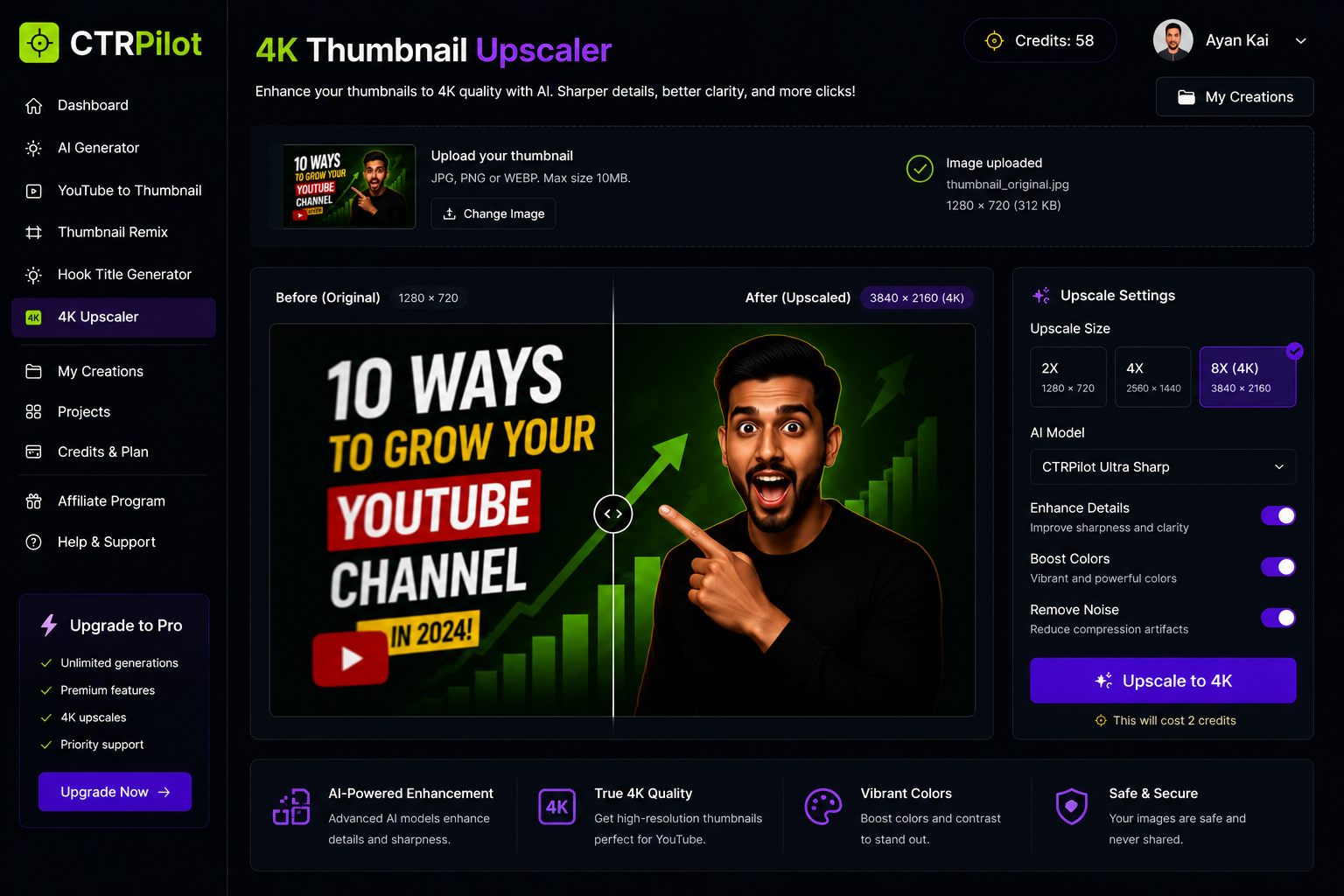
Enhance thumbnail quality with AI-powered 4K upscaling.
Instead of searching for a higher-resolution source image, you can enhance the existing thumbnail.
A Thumbnail Needs a Good Title Too
There’s another important part of YouTube packaging:
The title.
A great thumbnail and a weak title don’t always work well together.
The thumbnail should create curiosity while the title gives viewers enough context to understand the video.
That’s why I also included a title-generation workflow.
Hook Title Generator
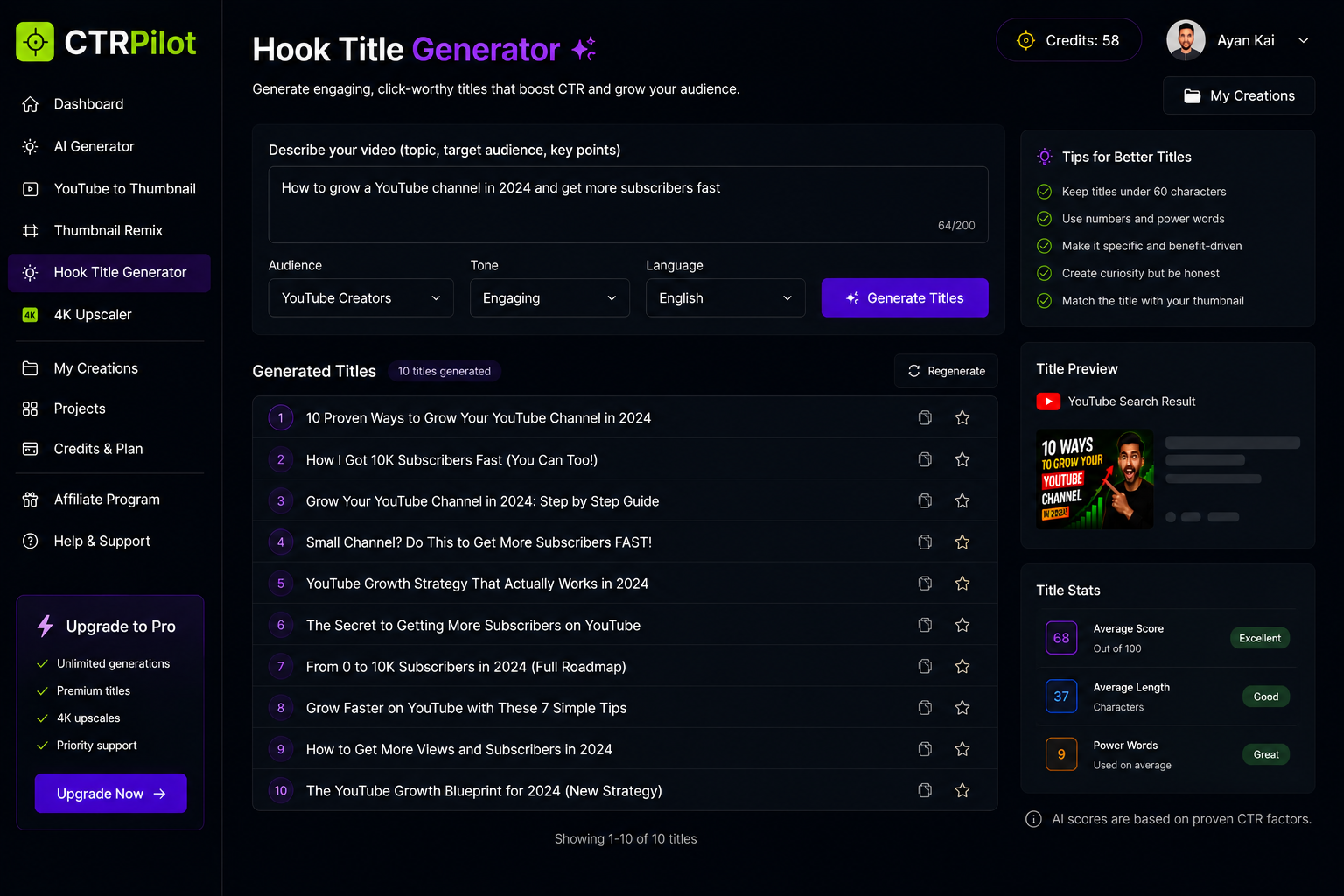
Generate engaging YouTube titles that complement your thumbnail.
The goal isn’t to create clickbait.
It’s to find stronger ways to communicate the value of the video.
Keeping Everything Organized
Once you start generating multiple concepts, another problem appears:
Where do all these designs go?
You don’t want to lose track of which thumbnail belongs to which video.
A dedicated creation library makes it easier to keep everything organized.
My Creations
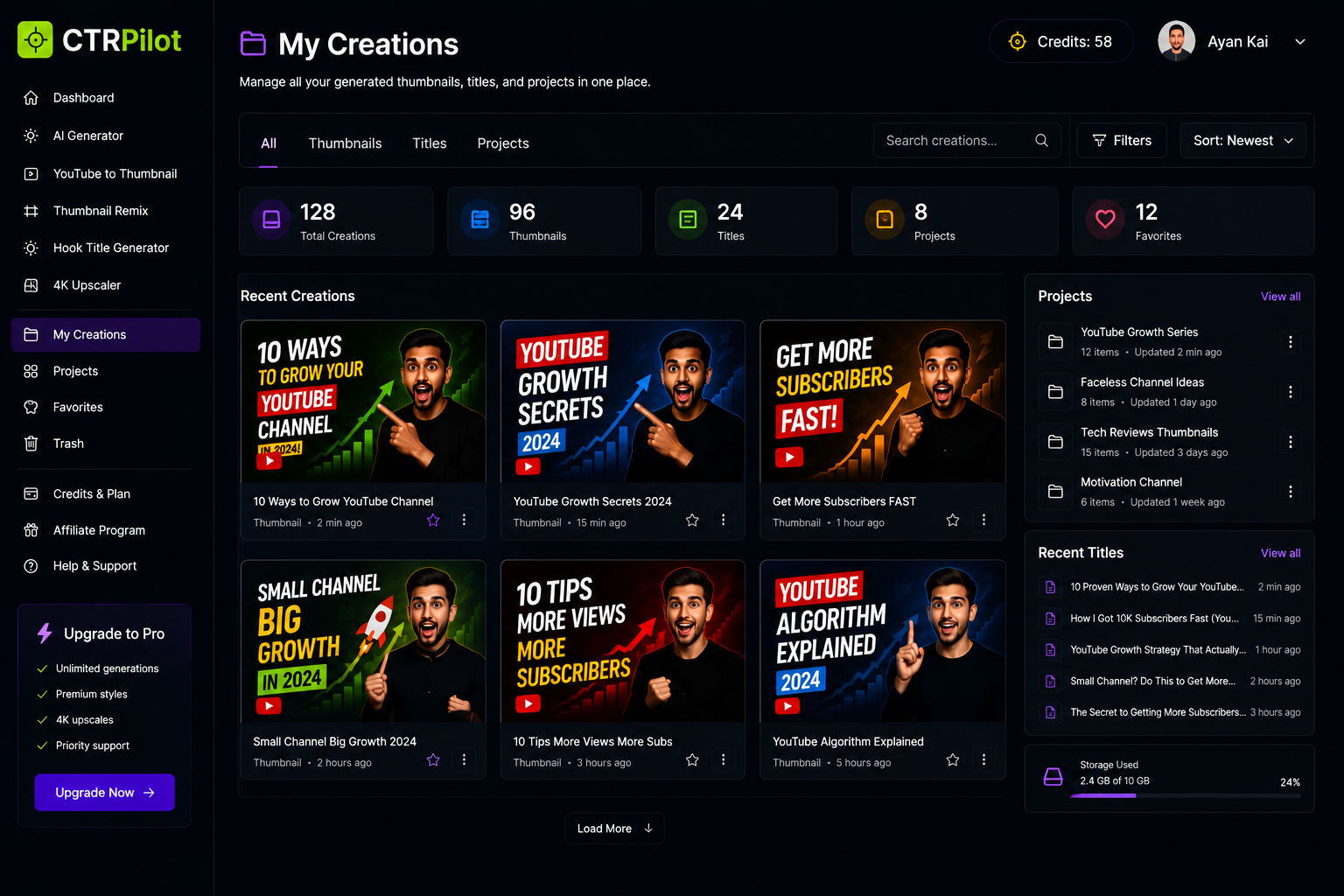
Manage your generated thumbnails, titles, and creative projects from one organized workspace.
This turns thumbnail creation from a one-off design task into a repeatable workflow.
My New Workflow
After putting all these pieces together, my workflow looks something like this:
1. Create the video
Finish the actual content first.
2. Describe the video
Give the AI a short explanation of the topic.
3. Generate multiple thumbnails
Don’t settle for the first idea.
4. Compare variations
Look at the composition, readability, colors, and overall hook.
5. Remix the strongest concept
Create additional variations if necessary.
6. Improve the resolution
Upscale the final design when needed.
7. Create a matching title
Make sure the title and thumbnail work together.
8. Save everything
Keep the final versions organized for future reference.
AI Doesn’t Replace Creativity
This is probably the most important point.
I don’t think AI should replace creative thinking.
The best thumbnail still needs a good idea.
AI simply makes it cheaper and faster to explore that idea.
Instead of spending most of your time moving text boxes around and adjusting images, you can spend more time deciding:
What would actually make someone stop scrolling?
That’s a much more valuable question.
Final Thoughts
YouTube thumbnail creation used to feel like a separate design project.
Now, with AI, it can become part of the content workflow itself.
Generate ideas.
Experiment.
Remix.
Improve.
Compare.
Publish.
That’s the workflow I wanted to create with CTRPilot.
If you’re a YouTube creator and want to experiment with AI-powered thumbnail creation, you can check it out here:
The goal isn’t to make every thumbnail perfect.
It’s to make creating better thumbnails faster.
Get AI thumbnails that beat your niche CTR benchmarks
Sign up with your email — 5 free credits, no card required. Generate 4 high-CTR thumbnail variants in seconds.
No spam. Unsubscribe any time.
Related articles
Put this into practice with AI-generated thumbnails.
CTRpilot generates 4 high-CTR thumbnail variants in 8 seconds. Start with 5 free credits.