Growth · 5 min read
From Video Idea to Click-Worthy Thumbnail: A Practical AI Workflow for YouTube Creators
Creating a YouTube video involves much more than recording and editing.
You need a strong idea, a useful script, good editing, an engaging title, and — perhaps most importantly — a thumbnail that makes people stop scrolling.
For creators publishing consistently, thumbnail design can become a surprisingly large part of the workload.
That’s where AI can make a real difference.
Instead of replacing the creative process, AI can help creators move through the repetitive parts faster and spend more time making creative decisions.
The Challenge With Creating Thumbnails
A thumbnail needs to communicate an idea almost instantly.
That means creators have to think about:
Visual hierarchy
Contrast
Typography
Subject placement
Colors
Facial expressions
Curiosity
Title and thumbnail alignment
Creating one good thumbnail isn’t always difficult.
Creating several different concepts for every video is where the workflow starts becoming time-consuming.
And if a thumbnail doesn’t perform well, you may want to create another version and test again.
Why I Started Thinking About an AI Workflow
Instead of designing one thumbnail from scratch and hoping it works, I wanted a workflow that made experimentation easier.
The basic idea is simple:
Create → Generate → Experiment → Refine → Publish
AI can help with each of these steps.
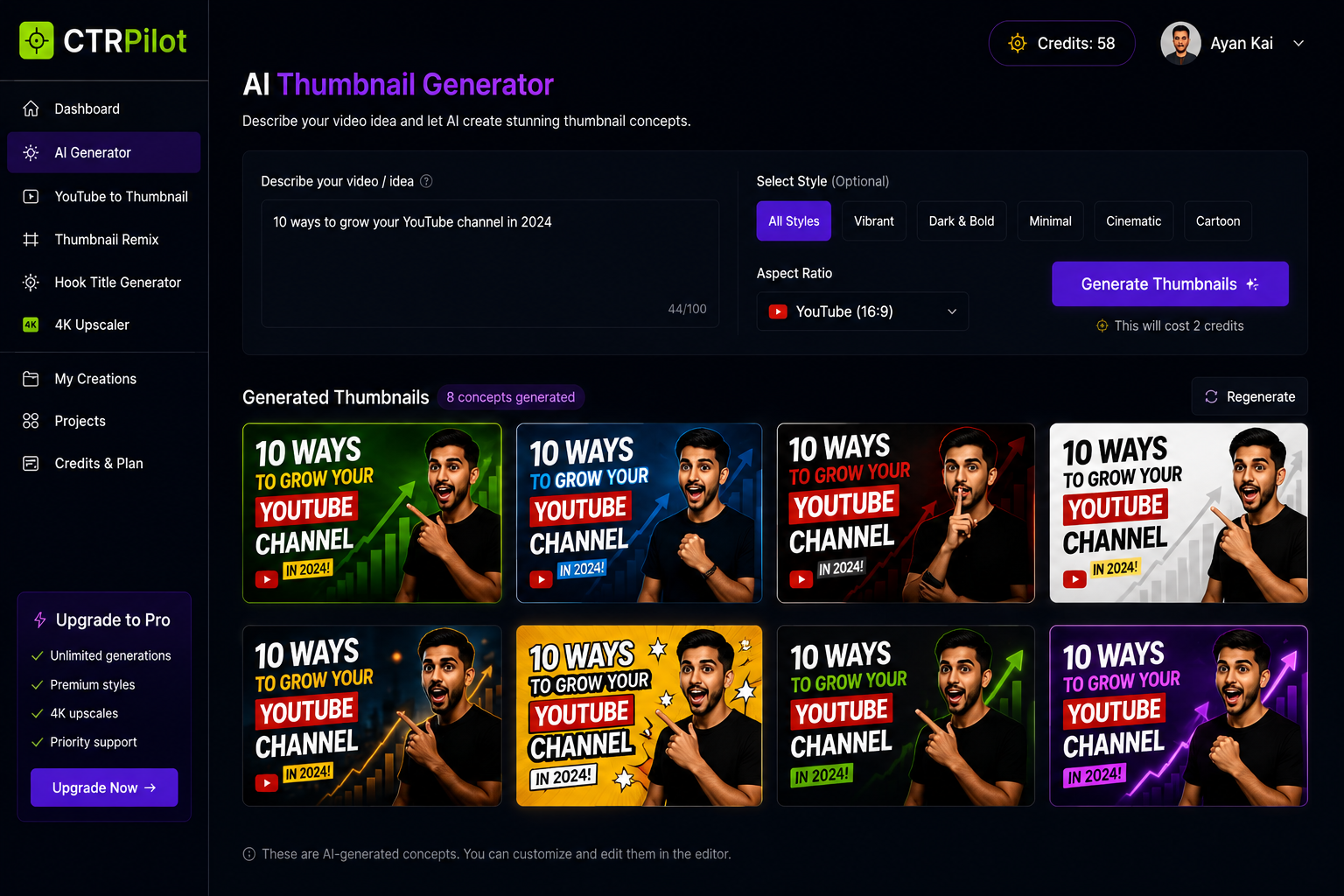
You can start with a simple description of your video and quickly explore multiple visual directions.
That gives you something to work with instead of staring at a blank canvas.
Starting With the Video Idea
Generate multiple thumbnail concepts from a simple video idea with AI.
The first step is understanding what the video is actually about.
For example:
“10 ways to grow a YouTube channel.”
That’s enough to begin exploring different visual concepts.
An AI thumbnail generator can turn that idea into multiple directions — different compositions, colors, subjects, and text treatments.
The important part is that you’re not forced to accept the first result.
You can compare ideas and choose the concept that best communicates the video’s value.
Turning Existing Videos Into New Thumbnail Ideas
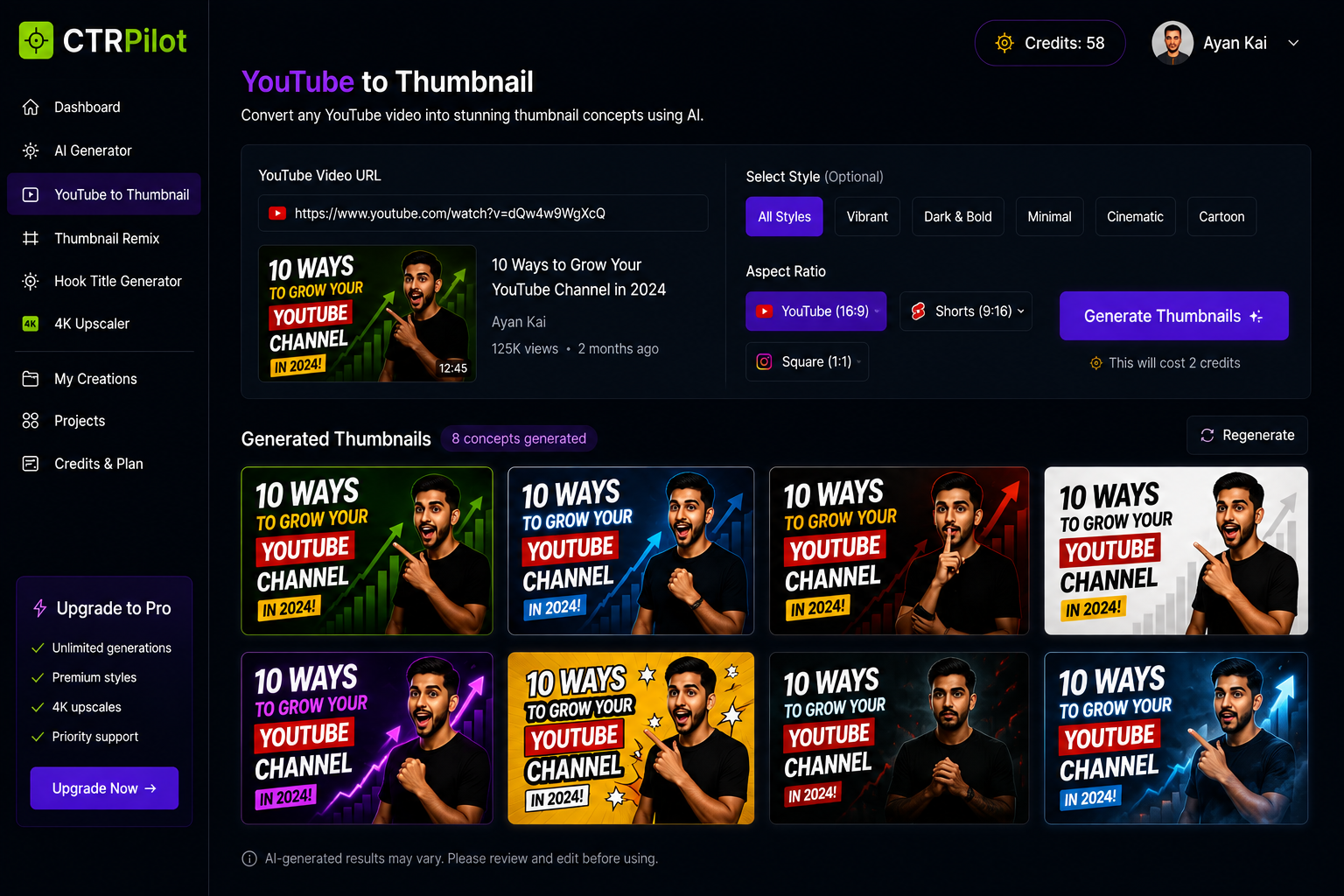
Turn an existing YouTube video into fresh thumbnail concepts with AI.
Another useful workflow starts with content that already exists.
Maybe you published a video a few months ago and the thumbnail isn’t performing as well as you’d like.
Instead of rebuilding everything manually, you can use the existing video as the starting point for new thumbnail concepts.
This creates an opportunity to refresh older content without repeating the entire design process.
Remixing a Thumbnail
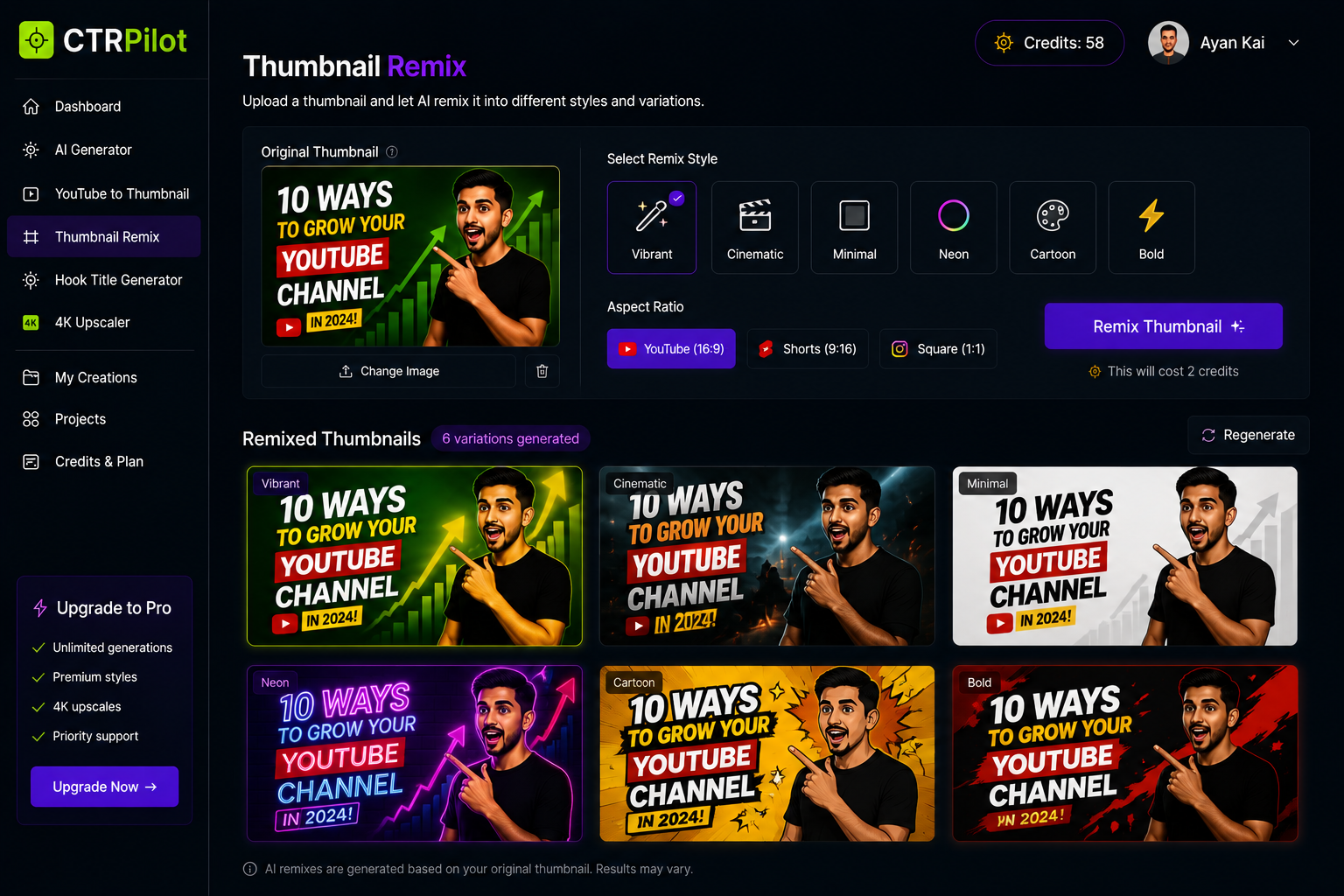
Explore different visual styles and variations without starting from scratch.
Sometimes the original idea is good — you just want different versions.
That’s where remixing becomes useful.
You can take an existing thumbnail and explore different styles:
Vibrant
Cinematic
Minimal
Bold
Neon
Cartoon
The concept stays familiar while the visual treatment changes.
This is particularly useful when you want to experiment with different creative directions.
Improving Image Quality
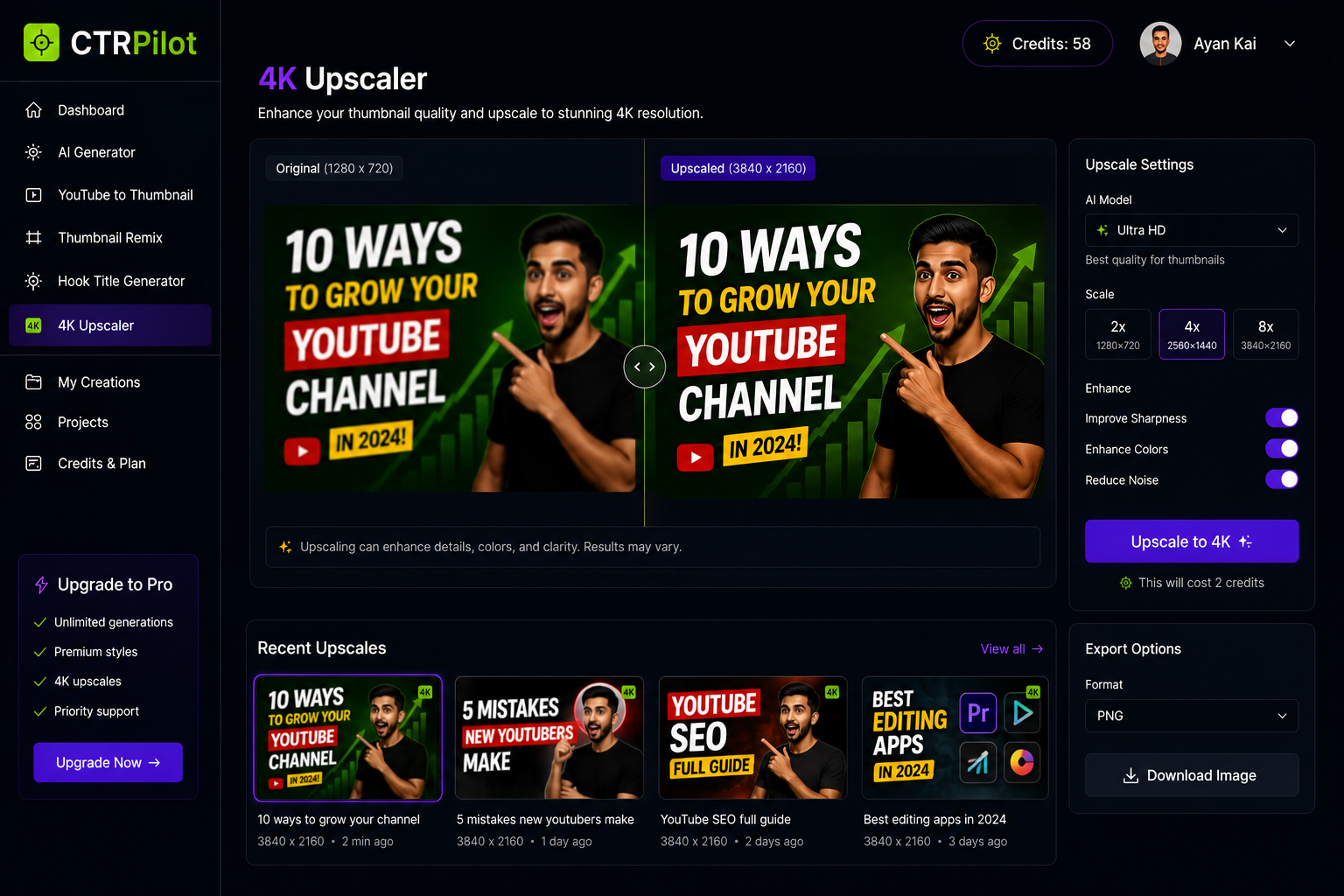
Enhance thumbnail sharpness and resolution with AI-powered upscaling.
There’s another problem creators often encounter: image resolution.
A thumbnail might look acceptable while editing but lose sharpness after resizing or exporting.
AI upscaling can help improve clarity and detail, especially when working with smaller source images.
Instead of searching for a completely new asset, you can sometimes enhance what you already have.
The Title Is Part of the Package
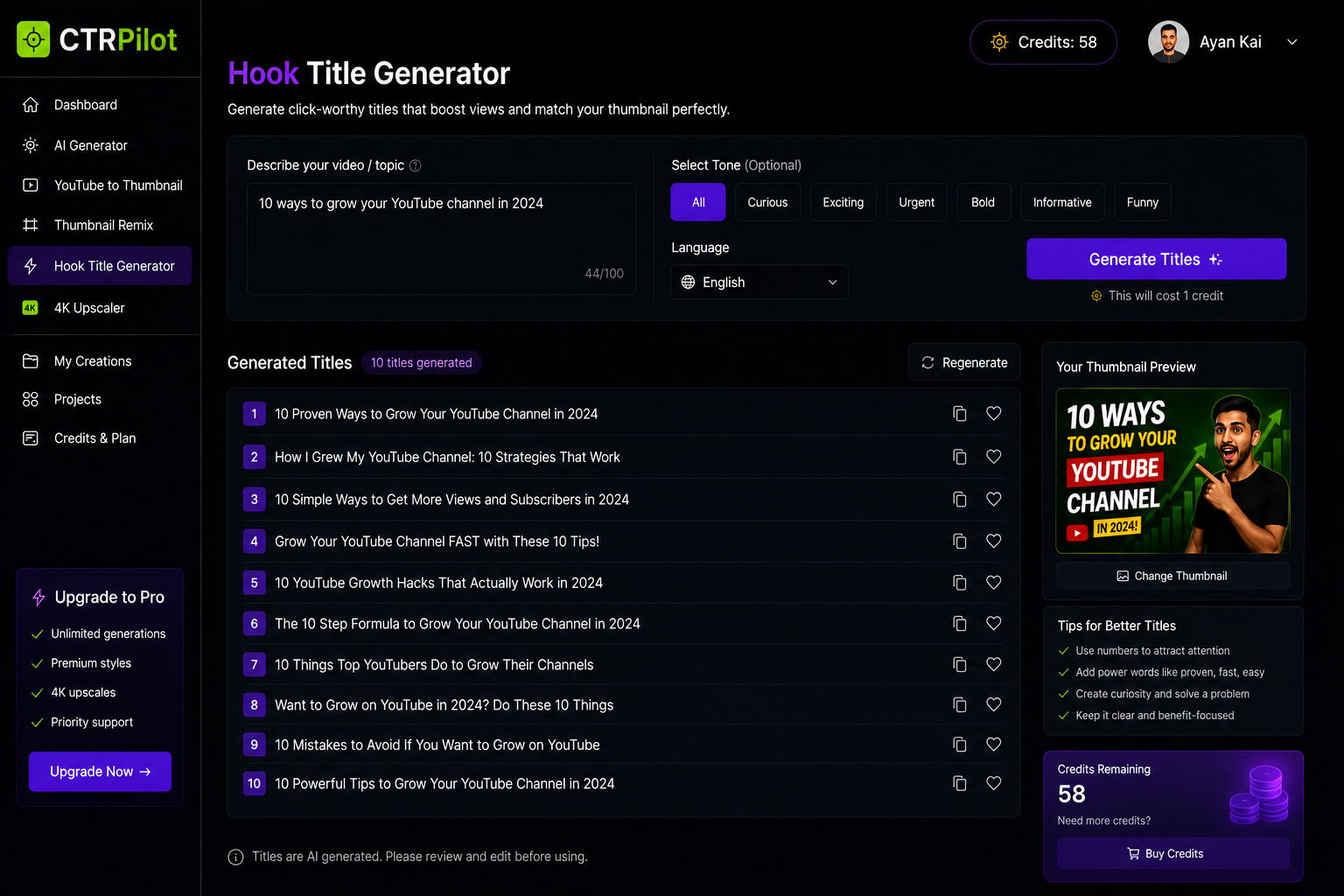
Generate title variations that complement your YouTube thumbnail.
A thumbnail doesn’t work independently.
The title and thumbnail are seen together, so they should complement each other.
For example, if the thumbnail creates curiosity, the title can provide context.
If the title explains the topic clearly, the thumbnail can focus more on the emotional or visual hook.
AI can help brainstorm title variations as well, giving creators more combinations to consider.
Building CTRPilot Around This Workflow
This workflow is one of the ideas behind CTRPilot, the AI-powered YouTube thumbnail platform I’ve been building.
The goal isn’t to automate creativity completely.
It’s to make the creative process faster.
CTRPilot brings together tools for:
AI thumbnail generation
YouTube-to-thumbnail creation
Thumbnail remixing
4K upscaling
Hook title generation
Managing generated creations
The idea is to keep these steps inside one workflow rather than jumping between several different tools.
What AI Should — and Shouldn’t — Do
I don’t think AI should make every creative decision.
Creators still need to decide:
What is the strongest idea?
What would make someone stop scrolling?
Does the thumbnail accurately represent the video?
Is the design interesting without becoming misleading?
AI can provide options.
Human judgment decides which option is worth using.
That’s an important distinction.
A Simple Workflow Creators Can Try
Here’s a practical process:
Step 1: Finish the video
Know exactly what your video is about.
Step 2: Write a short description
Summarize the core idea in one or two sentences.
Step 3: Generate multiple concepts
Don’t immediately settle for the first result.
Step 4: Compare the concepts
Look at clarity, contrast, composition, and curiosity.
Step 5: Remix the strongest idea
Create additional variations if necessary.
Step 6: Improve the final image
Upscale or refine the design when needed.
Step 7: Generate title variations
Find a title that works naturally with the selected thumbnail.
Step 8: Publish and learn
The goal isn’t to predict the perfect thumbnail every time.
It’s to create, test, and improve.
The Bigger Opportunity
The interesting part of AI isn’t simply that it can generate images.
It’s that it can shorten the distance between an idea and an experiment.
That’s extremely valuable for creators.
Instead of spending an hour creating one concept, you can spend that time exploring several possibilities.
More experimentation can lead to better creative decisions.
And better creative decisions can give good content a stronger chance to get noticed.
Final Thoughts
YouTube is becoming increasingly competitive.
Creators don’t just need to make good videos — they need to package those videos effectively.
AI can help make that packaging process faster without removing the human creativity behind it.
That’s the direction I’m exploring with CTRPilot.
The goal isn’t to replace the creator.
It’s to give the creator more possibilities, faster.
If you’re a YouTube creator, what part of your thumbnail workflow takes the most time?
I’d love to hear what you’re currently doing.
Get AI thumbnails that beat your niche CTR benchmarks
Sign up with your email — 5 free credits, no card required. Generate 4 high-CTR thumbnail variants in seconds.
No spam. Unsubscribe any time.
Related articles
Put this into practice with AI-generated thumbnails.
CTRpilot generates 4 high-CTR thumbnail variants in 8 seconds. Start with 5 free credits.