
Creating content is getting easier.
AI can help with scripts, images, editing, titles, thumbnails, and even ideas.
But there’s an interesting problem hiding underneath all this:
When creating becomes easier, choosing what to create becomes harder.
Creators now have more possibilities than ever.
More thumbnail ideas.
More title variations.
More visual styles.
More content angles.
The real challenge isn’t always production anymore.
It’s experimentation and decision-making.
The Old Content Workflow
For many creators, the process looks something like this:
Idea → Video → Thumbnail → Title → Publish
It’s simple.
It’s also easy to repeat without learning much from the process.
A creator might make one thumbnail, choose one title, publish the video, and move on to the next project.
But what if the first thumbnail wasn’t the strongest option?
What if another title communicated the idea better?
What if a completely different visual direction would have made the video more interesting?
Without experimentation, you’ll never know.
Experimentation Changes the Process
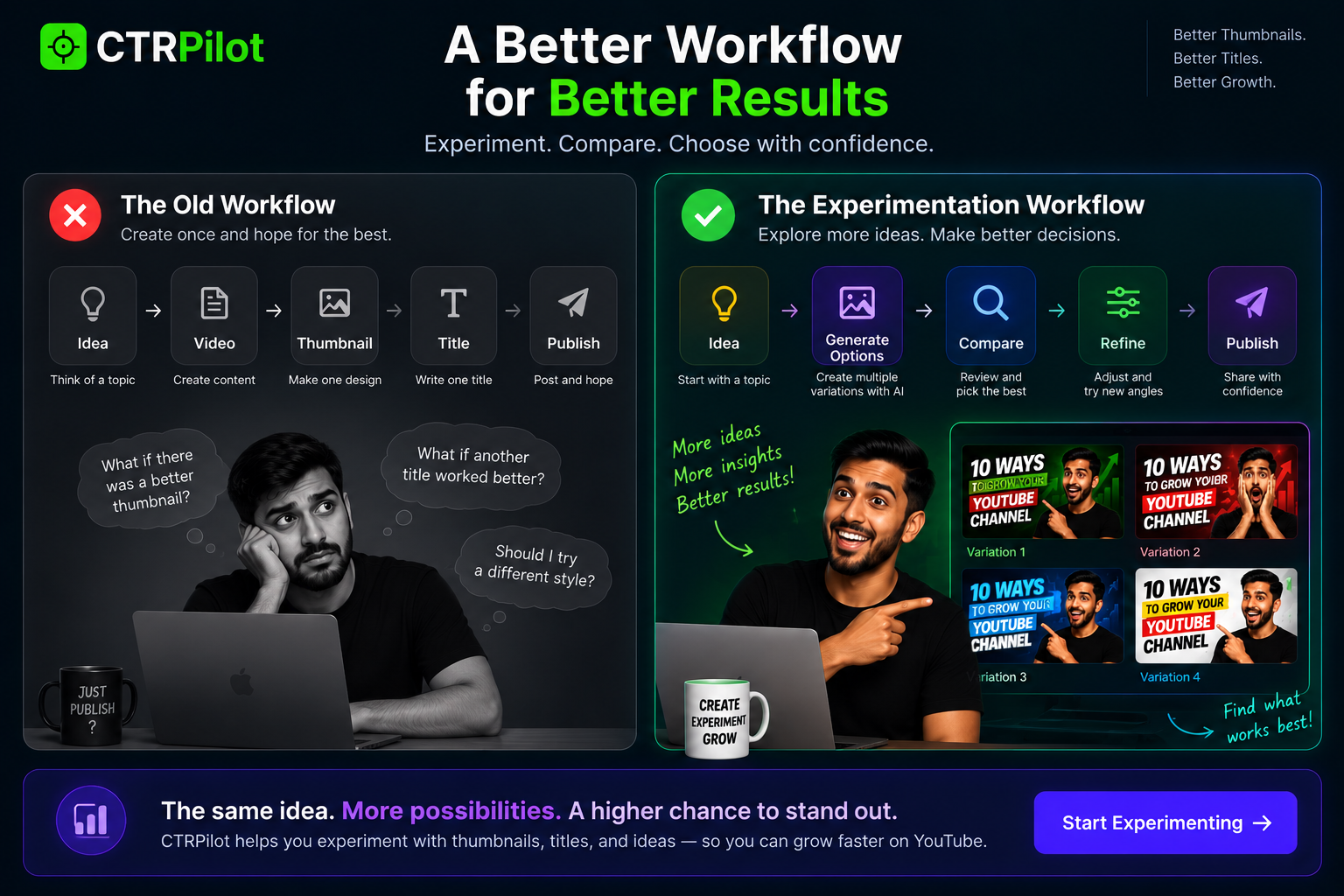
A more flexible workflow helps creators explore, compare, and refine ideas before publishing.
A more flexible workflow looks like this:
Idea → Create → Generate options → Compare → Refine → Publish
The difference is small on paper.
But it’s significant in practice.
Instead of treating the first idea as the final idea, you treat it as a starting point.
That’s a much more useful mindset for creative work.
Why Creators Often Don’t Experiment
It’s not necessarily because they don’t want to.
The problem is usually time.
Imagine manually creating five different thumbnail concepts.
You need to:
Find images
Remove backgrounds
Arrange elements
Try different typography
Adjust colors
Export each version
Compare them
Doing this for every video quickly becomes exhausting.
So creators naturally choose the fastest option:
Create one and publish.
AI Can Lower the Cost of Experimentation
This is where AI becomes genuinely useful.
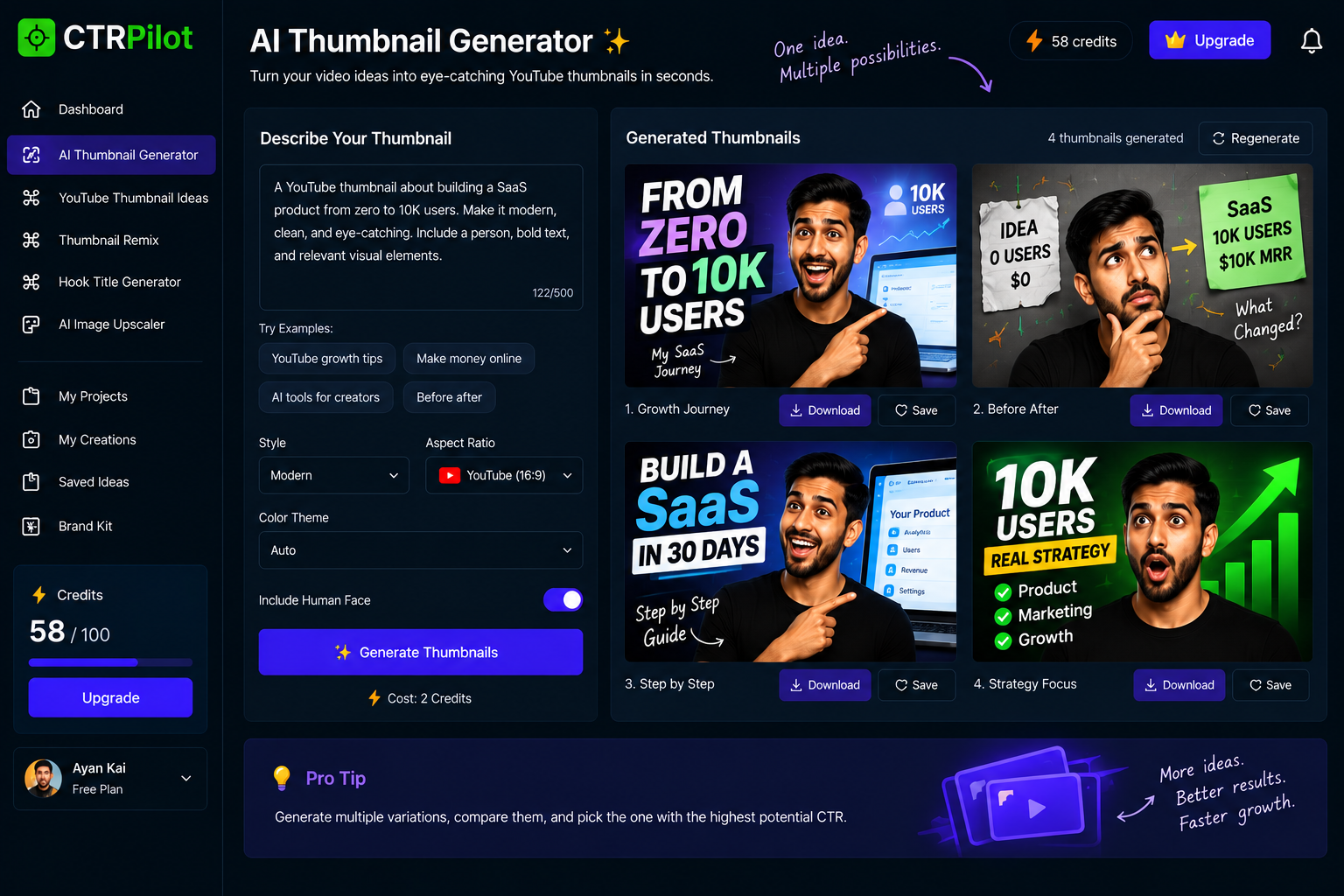
Generate multiple thumbnail concepts from a single video idea and explore different creative directions faster.
Instead of asking AI to completely replace the creative process, use it to make experimentation cheaper.
For example, start with one video idea.
AI can help generate several possible directions:
Direction 1 — Result
Focus on the outcome the viewer wants.
Direction 2 — Problem
Highlight the challenge discussed in the video.
Direction 3 — Transformation
Show a before-and-after concept.
Direction 4 — Curiosity
Create a visual question that encourages exploration.
The creator can then decide which direction fits the video best.
More Ideas Don’t Automatically Mean Better Ideas
This is an important distinction.
AI can generate hundreds of possibilities.
But quantity isn’t the same as quality.
If you generate 50 thumbnails without understanding why they work, you’ve simply created 50 things to review.
The useful workflow is:
Generate → Evaluate → Refine
Not:
Generate → Generate → Generate
The goal is better decisions, not an endless stream of options.
The Role of Human Judgment
AI is good at exploring possibilities.
Creators are good at understanding context.
A creator knows:
What their audience expects
What their channel represents
What the video actually delivers
Which visual style fits their brand
Which idea feels authentic
That’s why the best AI-assisted workflows aren’t completely automated.
They’re collaborative.
AI expands the possibilities.
The creator chooses the direction.
Thumbnails Are Perfect for Experimentation
Thumbnails are particularly interesting because they’re visual.
Small changes can completely change the impression of a design.
For example:
Same topic.
But you could have:
A close-up face
A product-focused design
A large number
A before-and-after composition
A minimal design
All five can communicate the same basic topic differently.
Experimentation lets you discover which story is most compelling.
Titles Need Experimentation Too
The same applies to titles.
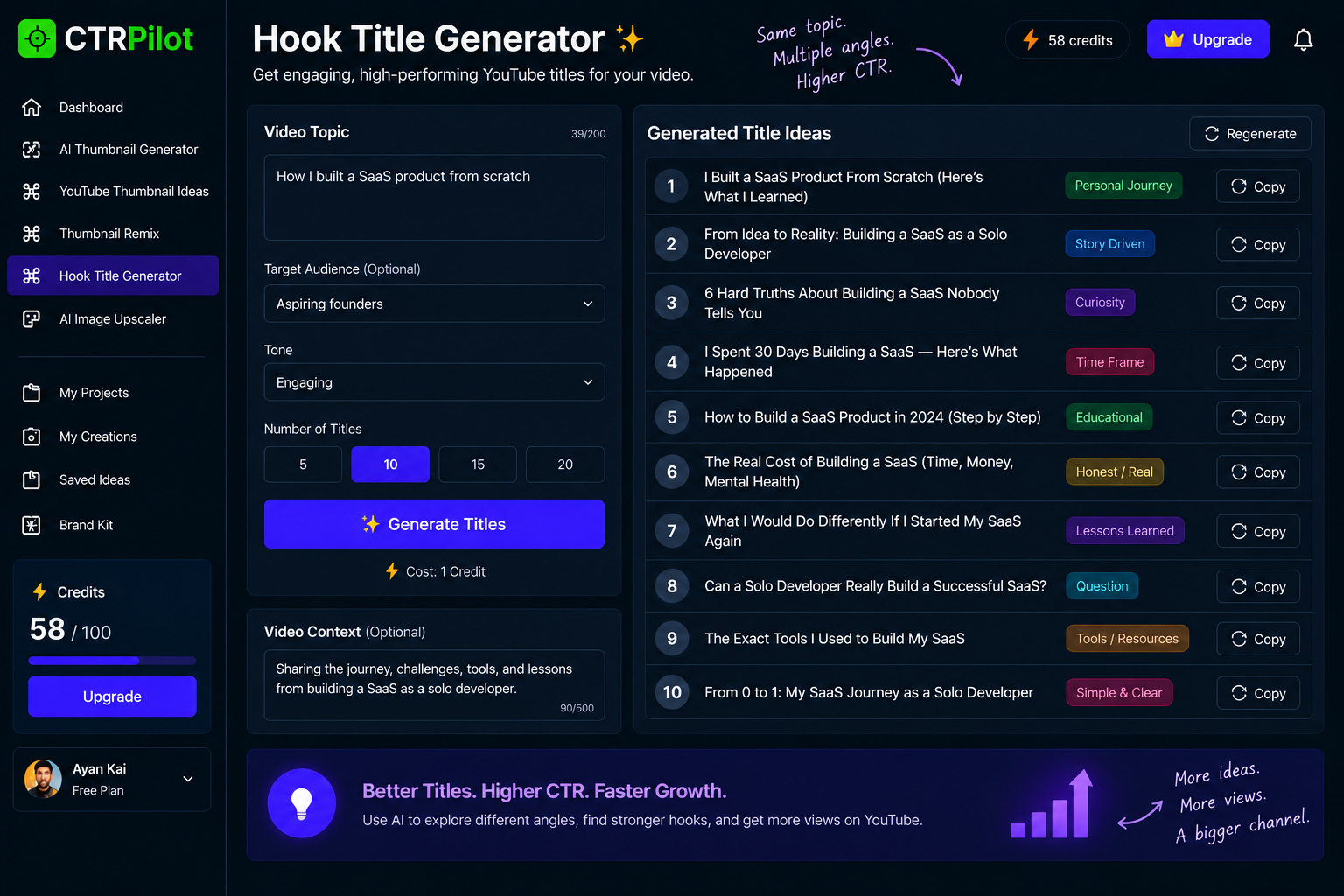
Explore different hooks and angles to find a stronger way to frame the same video.
Imagine a video about building a SaaS product.
You could frame it as:
I Built a SaaS Product From Scratch
Or:
What I Learned Building My First SaaS Product
Or:
I Spent 30 Days Building a SaaS
Or:
The Hardest Part of Building a SaaS Nobody Talks About
Same general subject.
Completely different hooks.
Sometimes the difference isn’t the content.
It’s the framing.
Thumbnail + Title = One Creative System
A common mistake is treating the thumbnail and title as two completely separate tasks.
They work better when they’re considered together.
The thumbnail can create the visual hook.
The title can provide context.
For example:
Thumbnail:
30 DAYS
Title:
What Happened When I Built a SaaS in 30 Days
The two elements complement each other.
They don’t need to repeat the exact same sentence.
Remixing Makes Iteration Easier
Another useful concept is remixing.
You don’t always need to start from a blank canvas.
Sometimes you already have a good idea.
You just want to explore alternatives.
Maybe:
Make the subject larger
Change the composition
Try another visual style
Simplify the text
Increase contrast
Change the emotional tone
Starting with an existing concept can make iteration much faster.
Building an Experimentation Layer for Creators
This is one of the ideas behind CTRPilot.
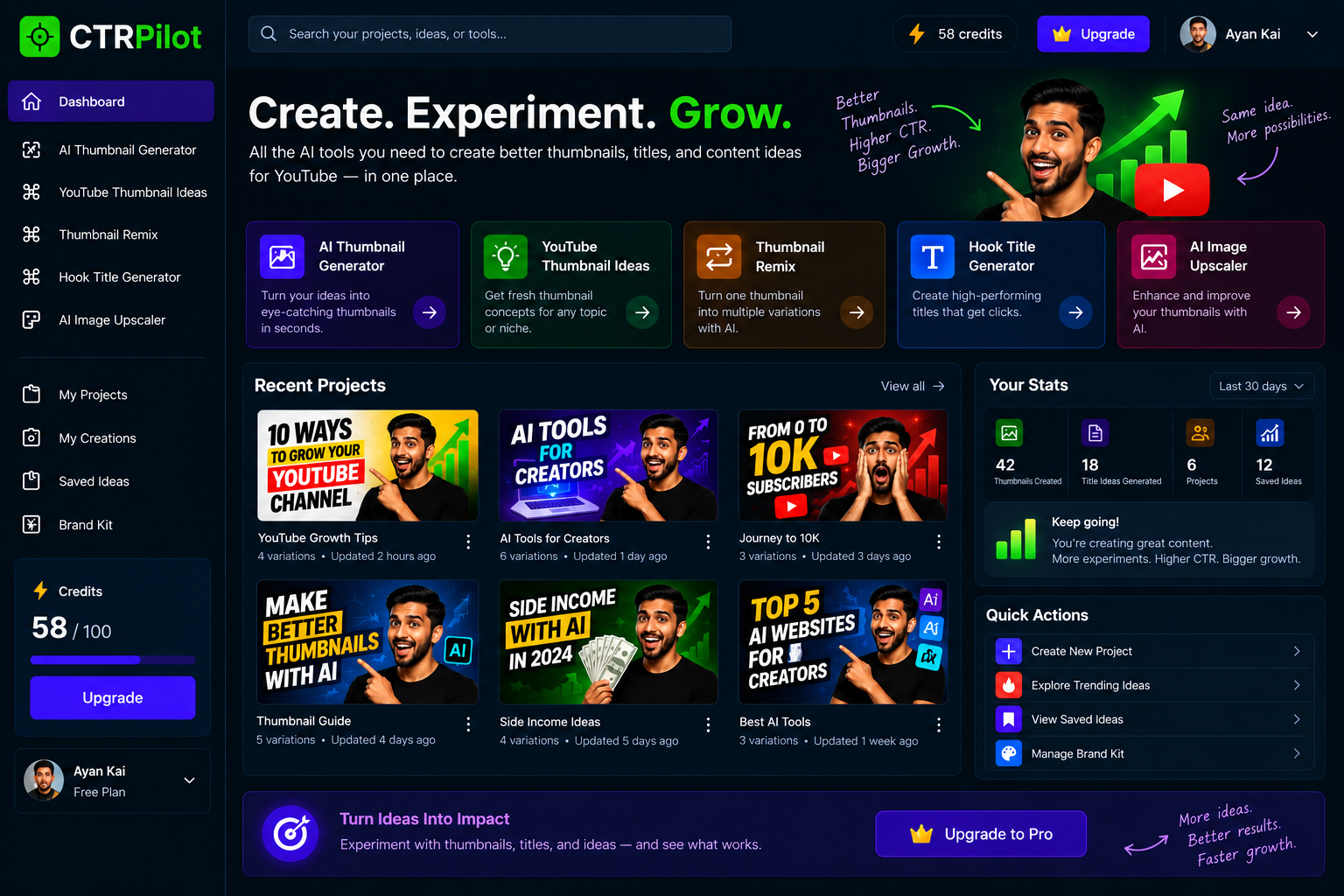
CTRPilot brings thumbnail generation, ideas, remixing, title hooks, image enhancement, and project organization into one workflow.
The goal is not simply to create another AI image generator.
It’s to help creators move through the experimentation process more efficiently.
The platform brings several tools into one workflow:
AI Thumbnail Generator
Turn a video topic into thumbnail concepts.
YouTube Thumbnail Ideas
Explore different creative directions before designing the final version.
Thumbnail Remix
Take an existing concept and experiment with new variations.
Hook Title Generator
Explore different ways to frame the same video.
AI Image Upscaler
Improve visual assets when higher-quality images are needed.
Projects & Saved Ideas
Keep experiments organized instead of losing useful concepts.
A Better Creative Loop
Instead of:
Create → Publish → Forget
Think:
Create → Experiment → Compare → Learn → Improve
Every video becomes an experiment.
Every thumbnail becomes feedback.
Every title becomes another opportunity to learn.
Over time, the workflow itself gets better.
You Don’t Need to Test Everything
Experimentation doesn’t mean creating dozens of versions for every video.
That’s unnecessary.
Start with the parts that matter most.
For example:
2–3 thumbnail directions
2–3 title hooks
Then choose the strongest combination.
The objective is not maximum volume.
It’s better creative exploration with reasonable effort.
AI Makes the Creative Process More Iterative
The biggest opportunity I see isn’t simply that AI can generate content faster.
It’s that AI can make it easier to try things you wouldn’t normally have time to try.
That’s powerful.
A creator who normally makes one thumbnail might now explore three.
Someone who normally writes one title might consider five different hooks.
Someone who normally sticks to one visual style might experiment with several.
That additional exploration can lead to better creative decisions.
The Future of Creator Tools
I think creator tools are moving toward a more collaborative model.
Not:
AI does everything.
And not:
Humans do everything manually.
Instead:
Human direction + AI experimentation + human judgment
That’s a much more interesting model.
Creators stay in control.
AI handles repetitive exploration.
And the workflow becomes faster without losing the creative voice behind the content.
Final Thoughts
The future of content creation isn’t just about producing more.
It’s about experimenting better.
Creators need tools that help them explore ideas, compare possibilities, refine concepts, and make confident decisions.
AI can play a huge role in that process.
But the best results still come from combining AI’s ability to generate possibilities with a creator’s understanding of their audience and story.
That’s the problem I’m exploring with CTRPilot.
Create less blindly. Experiment more intentionally.
👉 Try CTRPilot: CTRPilot